A custom ERP is usually the largest software investment a growing business makes, so the first question is always the cost. The honest answer is a range, but it is not a mystery. ERP cost is built from a small number of parts you can list, size and challenge.
This guide breaks custom ERP development cost into modules, explains what makes each one simple or complex, gives typical timelines, and shows how to estimate the return before you sign anything. If you are still deciding between building and buying, start with our comparison of custom ERP vs off-the-shelf ERP.
The Five Parts of Every ERP Budget
- Discovery and design. Mapping workflows, data, roles and integrations, then turning them into specifications and prototypes.
- Core modules. The screens, rules and reports for each business area.
- Integrations. Connections to accounting, e-commerce, CRM, banks, carriers, machines or government systems.
- Data migration. Cleaning and moving customers, products, stock, open orders and history.
- Launch and support. Training, go-live support, hosting, monitoring and continuous improvement.
Most cost overruns come from parts 3 and 4, because they are the hardest to see in a first conversation. Ask about them early.
Typical Modules and What Drives Their Complexity
| Module | Simple version | What makes it complex | Typical build time |
|---|---|---|---|
| Customers and sales orders | Orders, quotes, basic pricing | Customer-specific pricing, approvals, contracts | 3 to 6 weeks |
| Inventory and warehousing | Single site stock levels | Multi-warehouse, batches, serials, expiry, barcodes | 4 to 8 weeks |
| Purchasing | Purchase orders, receiving | Supplier rules, reorder logic, landed costs | 3 to 5 weeks |
| Production or job costing | Simple bills of materials | Routing, capacity planning, shop-floor data | 6 to 12 weeks |
| Finance link | Export to accounting | Real-time sync, multi-entity, multi-currency | 2 to 6 weeks |
| Reporting and dashboards | Standard reports | Custom KPIs, role-based dashboards, forecasting | 2 to 5 weeks |
| Portals and mobile | Read-only customer portal | Ordering portal, field or warehouse mobile app | 4 to 10 weeks |
These ranges assume an experienced team and decisions made promptly. Modules can be built in parallel by larger teams, which shortens the calendar time but not the total effort.
What Pushes Cost Up
- Complex business rules. Pricing matrices, approval chains and exceptions take more time than screens.
- Many user roles. Each role needs its own permissions, views and testing.
- Legacy systems without APIs. Integrating with old databases, file drops or screen-scraping is slow and fragile.
- Dirty data. Duplicate customers, inconsistent product codes and missing history all need cleaning before migration.
- Compliance. Tax reporting, audit trails and data protection requirements add design and testing effort.
- Changing scope. New requirements mid-build are normal, but they must be prioritised, not just added.
What Keeps Cost Down
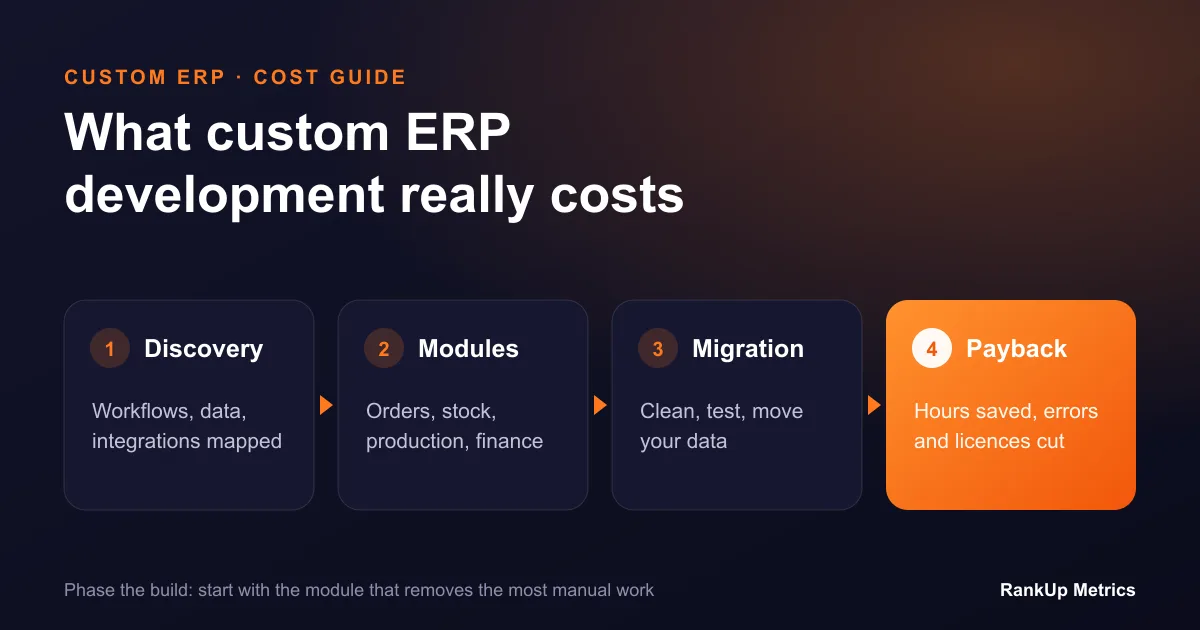
- Phase the delivery. Build the module that removes the most pain first, use it in production, then build the next one.
- Keep the accounting system. Integrating with a proven accounting package is usually cheaper and safer than rebuilding finance.
- Use proven components. Authentication, permissions, reporting tools and UI libraries do not need to be invented.
- Decide fast. Appoint one product owner on your side who can make decisions within days, not weeks.
- Standardise where it does not matter. Customise the processes that make you different, and accept standard ways of working for the rest.
Ongoing Costs to Budget For
A custom ERP is a living system. Plan for:
- Hosting and monitoring on a cloud provider, with backups and security updates.
- Support for bug fixes and user questions.
- Continuous improvement, usually a monthly or quarterly budget for new features as the business changes.
Unlike packaged ERPs, most custom systems do not charge per user. That matters as headcount grows, especially for warehouse, field or occasional users.
How to Estimate the Return
Work out the annual value of the problems the ERP will solve. A simple model:
- Hours saved. List manual tasks the ERP removes: re-keying orders, reconciling stock, building reports. Multiply hours per week by 48 weeks and by the loaded hourly cost of the staff involved.
- Errors avoided. Estimate the yearly cost of wrong shipments, stock write-offs, missed reorders and billing mistakes.
- Licences replaced. Add the yearly cost of tools and per-user licences the system replaces.
- Growth enabled. If you are turning work away, or cannot open a new site without more admin staff, estimate the margin that capacity would earn.
Divide the total build cost by the annual value to get a rough payback period. If the payback is under two to three years and the system will last much longer, the case is usually strong. If it is much longer, reduce the first phase to the highest-value modules.
Questions to Ask Any ERP Developer
- What exactly is included in discovery, and what will we receive at the end?
- How will you handle data migration, and how many test migrations are included?
- Which integrations are in scope, and how are their risks priced?
- Will we own the source code, the hosting accounts and the documentation?
- What does support cost after launch, and what response times are included?
- Can we start with one module and see it working before committing to the rest?
Next Steps
The most reliable estimate comes from a short discovery phase that maps your workflows and data before any build price is fixed. Our custom ERP development team runs exactly that and finishes with a phased plan, fixed prices per phase and an ROI model you can share internally. If you also want AI in the system from day one, read how AI integrates with CRM and ERP workflows.