
Teams often encounter repetitive work and scattered information but lack a clear way to decide which AI use cases are practical, safe, and worth integrating into existing operations.

AI Enablement
AI Integration Services for Business Automation
Practical AI integration for workflow automation, data insight and customer service. Start with a focused pilot, human review and safeguards that fit your existing tools.
AI strategy based on a specific business workflowAutomation and insight connected to existing tools and dataFocused pilots with human review, safeguards and measurement
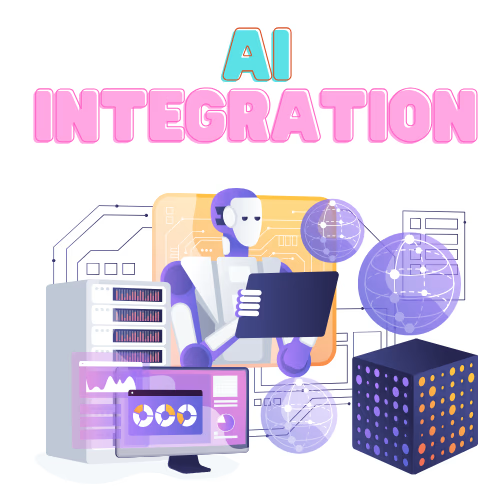
Service overview
AI Integration Services for Business Automation, designed around your business
Most teams do not need more AI tools. They need less repetitive work, information that is easier to find and decisions supported by relevant data. We start with one focused workflow, connect it to the tools you already use, keep people involved where judgement matters and measure the result before expanding.
Learn more about RankUp Metrics and our connected product engineering and business systems work.
What we deliver
- Clear AI strategy aligned with your business goals
- Workflow automation and insight generation
- Practical implementation without unnecessary complexity
The opportunity
From today’s challenge to a better way forward
We identify a focused workflow, assess the available data and tools, and build an integration with appropriate human review and operational safeguards. The aim is useful assistance that fits the existing stack, not AI for its own sake.
Use-case first
Where AI can help across your business
Start with where work slows down. These are common patterns, not a promise that every process should be automated.
Operations and back office
Extract fields from invoices, purchase orders and forms, flag missing information, summarise reports and surface unusual patterns for review.
Keep people involved: People approve payments, exceptions and actions with legal or financial consequences.
Custom ERP software and enterprise systemsAI in a modern ERPCustomer experience and support
Answer common questions from approved knowledge, collect details before handoff, draft replies and route enquiries to the right team.
Keep people involved: Keep a clear path to a person and use approved content as the source for customer-facing answers.
Custom web app and SaaS developmentMarketing and content
Support research, outlines, first drafts, content adaptation and campaign summaries without removing editorial review.
Keep people involved: People remain responsible for brand voice, factual accuracy and final publication.
SEO services and GEO strategyPPC and Meta Ads managementBrand design and visual identitySales and lead handling
Summarise enquiries, organise information from approved records, suggest next steps and prepare follow-up drafts.
Keep people involved: Sales staff retain control of pricing, promises, contract terms and customer commitments.
Reporting and decision support
Bring information from several systems into clear summaries and help teams explore changes in their data.
Keep people involved: Show the underlying figures and sources so managers can verify answers before acting.
Practical implementation
What we build
We choose models and tools based on the task, data sensitivity, privacy needs, cost and response speed. Depending on those constraints, a solution might use a hosted model or run in an environment the organisation controls.
- Workflow automation across existing tools, with approval steps where needed.
- Document and data processing to extract, classify and validate information.
- Staff and customer assistants grounded in approved knowledge.
- Insight layers that combine data sources into summaries, questions and alerts.
- Content-support tools that prepare material for human editing.
- Integrations with CRM, helpdesk, email, spreadsheets, ERP and web platforms.
What this service changes
Built around the outcomes your team needs
Less repetitive work
Identify suitable tasks for automation while keeping people involved where judgment or approval matters.
Information when it is useful
Connect relevant data and AI capabilities to the workflows where teams need support.
Practical control and oversight
Plan permissions, review steps, and fallbacks so teams understand how the integrated workflow behaves.
Responsible AI
Safeguards we plan into the workflow
AI can be wrong, reflect poor data or expose information if it is connected carelessly. We plan controls around the task and recommend legal or compliance review where needed.
Data minimisation and permissions
Give the workflow access only to the information it needs, respecting the relevant user and role permissions.
Privacy and compliance
Review data handling against UK GDPR and applicable sector or regional requirements; involve legal or compliance specialists where personal or regulated data is involved.
Human review
Require review before outputs affecting customers, money or legal obligations are sent or applied.
Grounding and sources
Use approved information sources and make them available for verification.
Testing before release
Test representative tasks and edge cases before a workflow is used more widely.
Logging and fallbacks
Record relevant actions and define a manual route for errors, uncertainty or service outages.
Vendor and cost awareness
Explain third-party services, likely running costs and practical options for changing providers later.
Choose the right level of automation
Is AI the right fit for this task?
Not every task should be automated, and not every automation needs AI. We assess the workflow, data and consequences before recommending a model or integration.
Good fit
- The task happens often and follows recognisable patterns.
- Inputs may be messy, but the desired output is clear.
- A person can review the result and mistakes are low-cost or easy to catch.
Prepare first
- Data is scattered, outdated or has no clear owner.
- The process is undefined or changes frequently.
- Staff need support to use or review AI output confidently.
Use a simpler solution
- A rule, form or standard integration can solve the problem without AI.
- Consequences are serious and decisions cannot be reviewed.
- The task is too infrequent to justify integration and ongoing costs.
How we work
A clear path from plan to progress
Find a useful use case
Map workflow friction, talk with the people doing the work, and assess user needs, data readiness and automation risk. Prioritise candidate use cases by value and risk.
Plan the integration
Select suitable models and tools, define data flows and permissions, agree human review and fallbacks, and set a baseline for success measures.
Build a focused pilot
Connect one bounded workflow to the existing stack and test it against representative tasks, including exceptions and awkward cases.
Evaluate, extend or stop
Review quality, adoption and operational impact before refining or expanding. Stopping is valid when the pilot does not show clear value.
The right fit
Who this service is for
Teams with repeatable workflows or information-heavy tasks that want to evaluate and integrate practical AI capabilities into their current tools.
Use-case firstHuman oversightFit with existing tools
How we define progress
01
Time spent on routine tasks
Whether the workflow reduces avoidable manual effort for the people using it.
02
Output quality
How often AI-assisted results meet quality requirements and how frequently they need correction.
03
Adoption and exceptions
Whether the workflow is used consistently and where human intervention is still needed.
04
Operational impact
Where relevant, changes in response times, error rates and customer feedback, measured against an agreed baseline.
Frequently asked questions
Clear answers about delivery, scope, and how we collaborate with your team.
What kinds of AI solutions do you build?
We integrate document processing, workflow automation, staff and customer assistants, reporting and insight tools, lead handling and content support. Each project starts with a specific workflow rather than a general-purpose AI tool.
Can AI fit into our existing software?
Often, yes. We check the APIs, data access, permissions and operating constraints of your CRM, helpdesk, ERP, email or storage tools before agreeing on an integration. A rebuild is not the default.
How do you keep our data safe?
We limit data access to what the workflow needs, preserve relevant permissions, record activity and explain any third-party services involved. Personal or regulated data should receive legal or compliance review before a build begins.
What happens if the AI gives a wrong answer?
AI can be wrong. We ground assistants in approved sources, test representative cases, add human review for consequential outputs and define fallbacks. We also measure corrections so quality can be improved or the workflow narrowed.
How long does an AI pilot take?
Timing depends on the workflow, integrations, data readiness and review requirements. We scope a focused pilot after discovery rather than promising a fixed timeline before those factors are understood.
How much do AI integration services cost?
Cost depends on the use case, integrations, data preparation, review requirements and ongoing model or hosting costs. We scope a pilot first so the initial commitment stays focused. See our pricing.
Does AI integration replace staff?
Our aim is to reduce repetitive effort and support people, not remove human judgement from important decisions. We define review points and are clear when a task is not suitable for automation.
Do we need an ERP before starting?
No. Some useful pilots work with spreadsheets, email and common cloud tools. If an ERP is relevant now or later, our ERP team can help connect the workflow to it. Explore custom ERP software.
Related services
Explore adjacent capabilities that fit naturally with this engagement.
Custom ERP Software & Enterprise Systems
Custom ERP software for finance, operations, inventory, and reporting built to replace disconnected systems and improve business visibility.
View service
Custom Web App & SaaS Development
Custom web app and SaaS development services for companies that need secure digital products, faster launches, and scalable architecture.
View service
SEO Services for Small Business & B2B Growth
Technical SEO, local SEO, and GEO strategy built to improve search visibility, drive qualified traffic, and support long-term revenue growth.
View serviceMake AI work for a real business task
Tell us where work slows down. We will help assess whether AI is appropriate and identify a focused, measurable place to start.