
Probably normal if…
A small share of URLs are tags, attachments, paginated archives, feeds or filter URLs. Google does not index 100% of what it crawls.
WordPress technical SEO
Google visited your pages and still refused to index them. We find exactly why Google skipped each URL, then fix the thin content, duplicates, canonicals and weak internal links behind it.
Packages start from $20
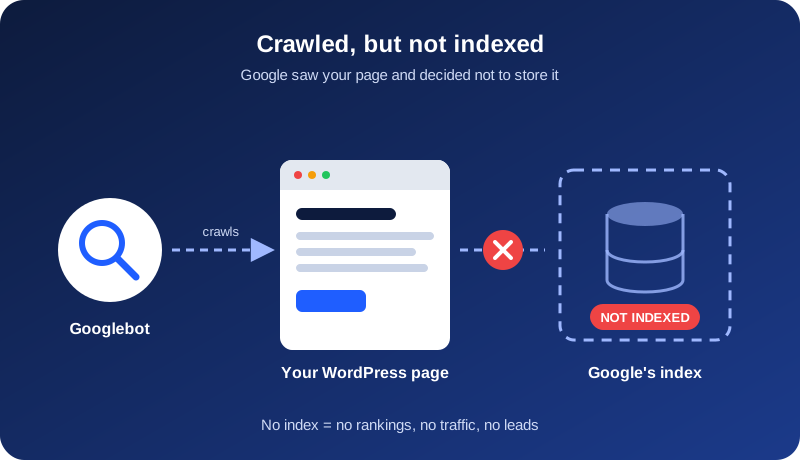
The Search Console status
You will find this status under Indexing > Pages > Why pages aren’t indexed. Googlebot fetched your page, read it, and decided not to add it to the index. Until that changes, the page cannot appear in search results for any query.
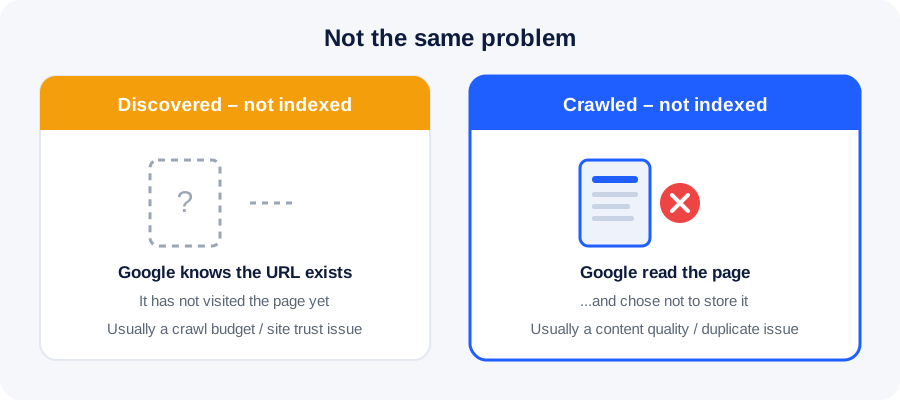
This is usually not a technical block. Your server responded and robots.txt allowed the crawl. Google simply judged the page as not worth storing, at least for now. Generic advice such as resubmitting the sitemap or requesting indexing repeatedly rarely fixes the real cause.
Honest first check
A small share of URLs are tags, attachments, paginated archives, feeds or filter URLs. Google does not index 100% of what it crawls.
Service pages, products or your best posts are affected, the count is growing, or pages that used to rank have dropped out of the index.
Search Console also shows temporary reporting glitches. Inspect a few URLs with URL Inspection and search site:yourdomain.com/page-url to confirm whether they are really missing.
5-minute check
Open Indexing > Pages in Google Search Console.
Click Crawled – currently not indexed and export the URLs.
Sort them into service, blog, archive, tag and parameter groups.
Compare the declared canonical with Google-selected canonical.
Ask whether each page says something useful that competitors do not.
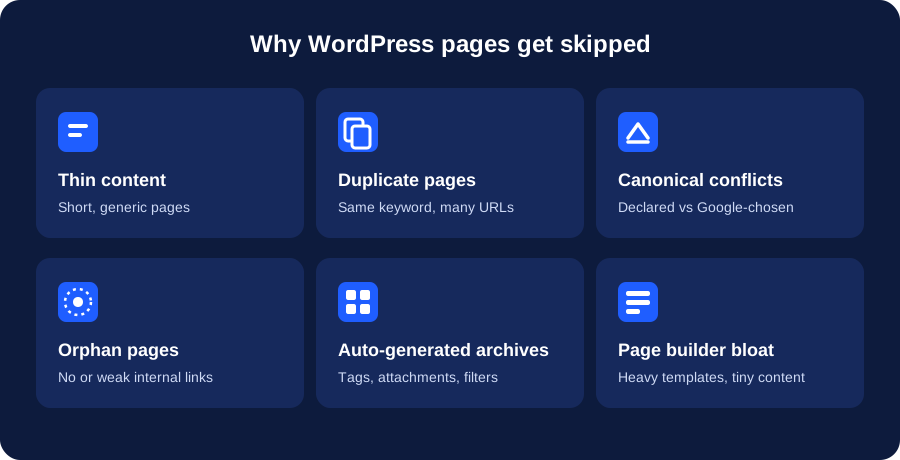
Why WordPress sites get excluded
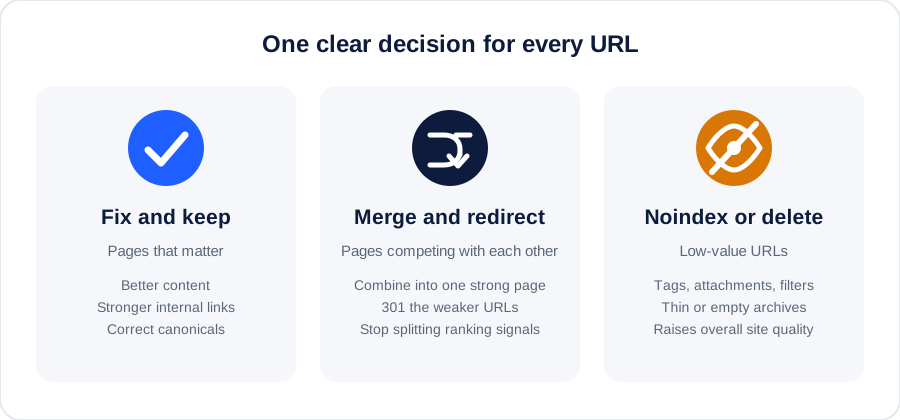
One decision per URL
Our process
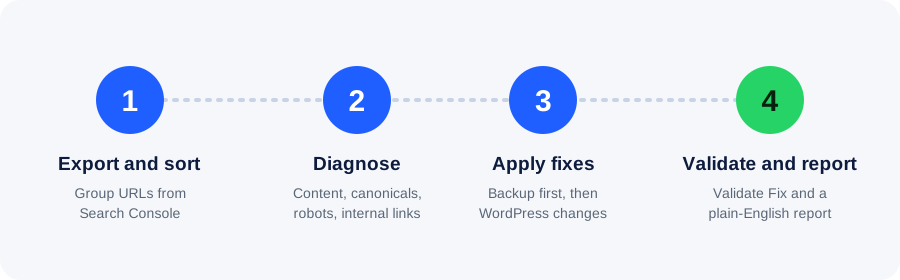
We group URLs by money page, blog post, archive, parameter and media status.
We inspect content, canonicals, robots, internal links, sitemap status and server response.
We back up WordPress, clean settings and templates, and give exact content recommendations.
We clean the sitemap, submit priority indexing requests and send a plain-English report.
Delivery comparison
| Task | Doing it yourself | With RankUp Metrics |
|---|---|---|
| Finding the cause | Trial and error | Cause named per URL |
| Deciding what to keep | Risk of deleting value or keeping junk | Fix, merge, noindex or delete decision |
| WordPress changes | One wrong setting can deindex good pages | Backup first, careful changes |
| Validation | Repeated clicks that can fail again | Root cause fixed before validation |
| Your time | Hours or days of research | You send a screenshot; we do the work |
What every package includes
Who this is for
One-time packages
No contract and no monthly lock-in. Send us your Search Console screenshot and we’ll tell you which option fits.
$20
For a few important pages
$50
For most WordPress sites
$100
For large or repeat problems
More than 100 URLs? Message us for a custom quote.
We fix the causes. Google makes the final indexing decision, so no honest provider can promise a guaranteed result or date.
What to expect
There is no fixed timeline. Technical corrections can be picked up within days, while pages rejected for quality can take several weeks to recrawl and re-evaluate. New or low-authority domains usually take longer.
Validate Fix asks Google to look again. It does not force indexing. We re-diagnose the failed URLs and fix what was missed instead of repeatedly clicking validate.
Keep pages indexed
Frequently asked questions
Google fetched the page but chose not to add it to its index. It usually points to a quality, duplication or importance problem rather than a technical block.
A small number of URLs here is normal, especially archives and parameter pages. It becomes a problem when important pages are affected or the number keeps growing.
Rarely, on its own. Requesting indexing asks Google to crawl again, but if the page still looks thin or duplicate, it will be excluded again. Fix the cause first, then request indexing.
Common reasons are weak or generic content, overlap with existing posts, no internal links to the new post, and a domain that is still building trust.
Yes. SEO plugins, page builders and WooCommerce can generate extra archive, attachment or filter URLs with little unique content. We review plugin settings as part of the fix.
Only the ones with no value. Pages that matter should be improved or merged, and useless URLs should be noindexed or removed. We give a decision for each URL.
We take a full backup before changing anything, make only the changes agreed in the package, and list every change in your report. If you prefer, we can provide exact instructions for you to apply.
No. Google controls indexing. We guarantee a proper diagnosis, careful fixes and clear recommendations, and we are upfront if the remaining issue is content quality.
Free quick check
Send your website URL and a screenshot of the Page Indexing report. We’ll tell you what is wrong and whether the pages are worth fixing.
Chat on WhatsApp now