
WordPress performance optimization
WordPress Speed Optimization: Improve Your Site and Core Web Vitals
A slow site loses visitors before they read a word, and Google notices. RankUp Metrics finds what is slowing your WordPress site, improves it without breaking your design, and tests the result on mobile and desktop.
- From $40
- Mobile + desktop tests
- Before/after report
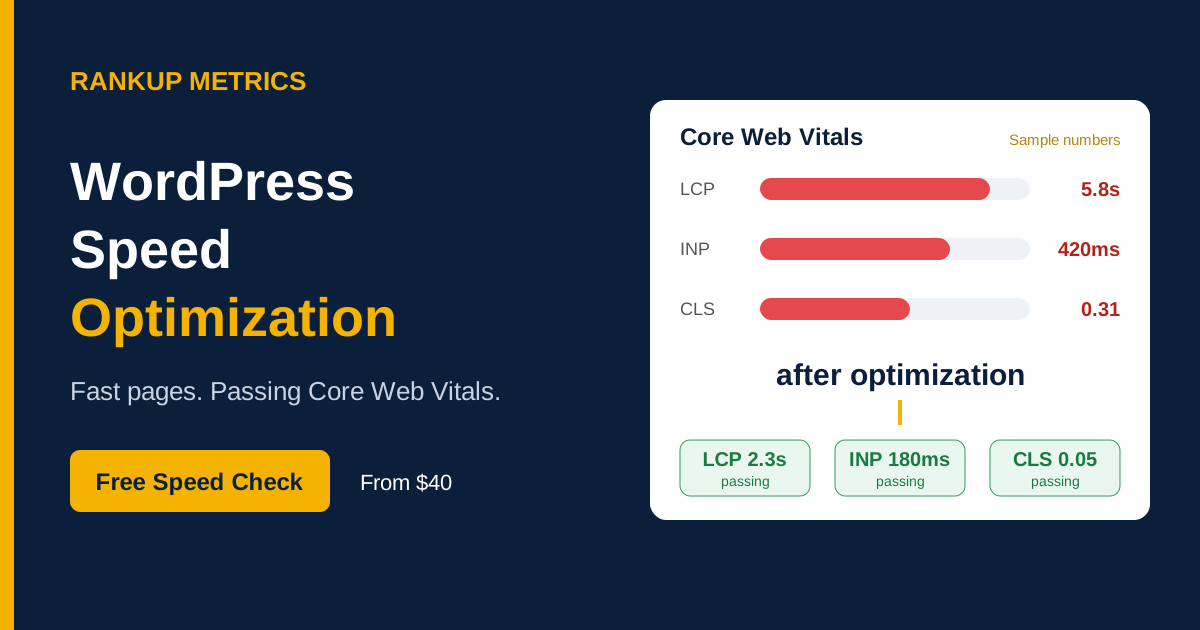
Is your site slow?
Signs your WordPress site needs a speed fix
PageSpeed Insights shows red scores or failed Core Web Vitals
Search Console reports LCP, INP or CLS issues
Content jumps around while the page loads
Buttons and menus feel laggy when tapped
Elementor or other page-builder pages feel heavy
The WordPress dashboard is slow too
Visitors leave quickly and mobile bounce rate is high
Don’t know where the problem is? Send us your URL for a free speed check →
Metric, cause and fix
What is slowing your site down?
The good targets below apply to Core Web Vitals. TTFB and page weight are useful diagnostic signals, not Core Web Vitals thresholds.
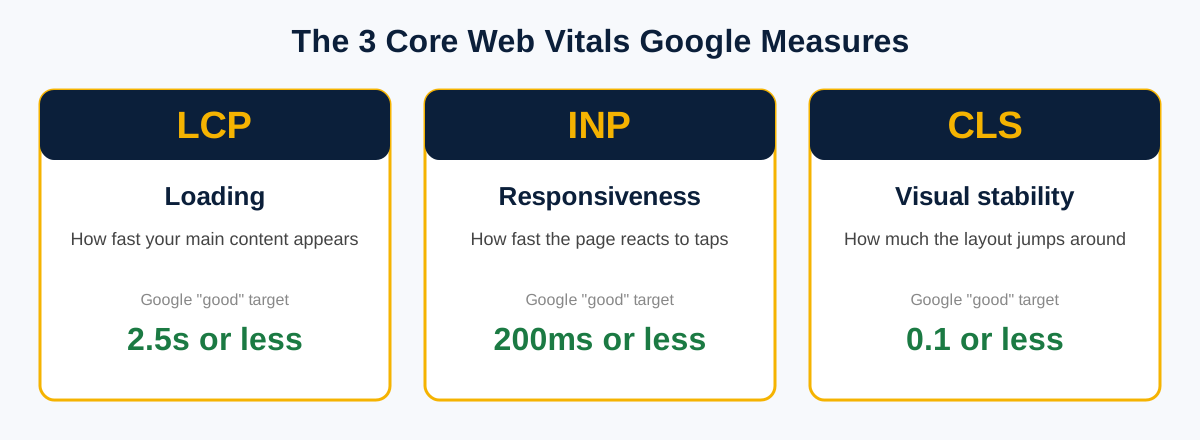
| Metric / symptom | Good target | Common causes | What RankUp Metrics does |
|---|---|---|---|
| LCP (main content appears late) | 2.5 seconds or less | Oversized hero image, slow server or render-blocking CSS | Compress and convert images, preload the LCP element and reduce blocking CSS. |
| INP (taps respond slowly) | 200 milliseconds or less | Heavy JavaScript, too many plugins or third-party scripts | Delay or remove scripts, reduce plugin load and split long tasks. |
| CLS (layout jumps) | 0.1 or less | Images without dimensions, late fonts, ads or embeds | Set image sizes, improve font loading and reserve space for embeds. |
| TTFB (server response time) | Diagnostic metric; no Core Web Vitals threshold | Slow hosting, no caching, old PHP or a slow database | Configure page caching, tune the database and advise on hosting. |
| Heavy pages | Reduce unnecessary page weight | Page-builder bloat, unused CSS/JS and too many plugins | Remove unused code, replace heavy plugins and trim builder output. |
We aim to improve real visitor experience, not just chase a lab score. For broader Search Console problems, see our Google Search Console Error Fix.
Common causes
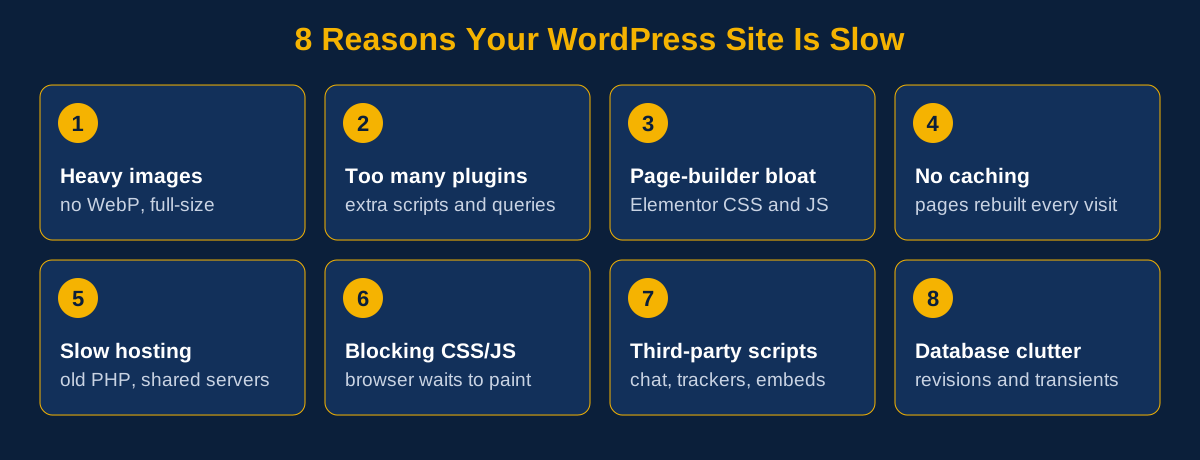
Why WordPress sites get slow
How we work
How RankUp Metrics speeds up your site
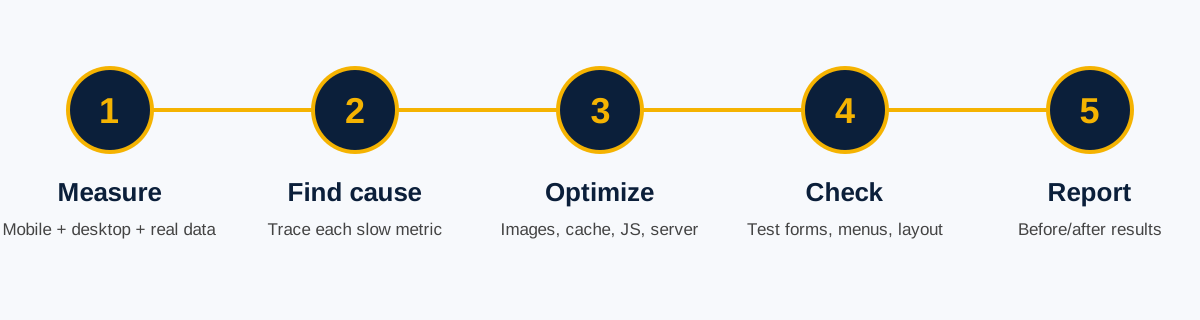
1. Measure
We test mobile and desktop with PageSpeed Insights and GTmetrix, and check Search Console real-user data when it is available.
2. Find the cause
We trace each slow metric to specific images, scripts, plugins, fonts or server settings.
3. Optimize
We work on images, caching, CSS and JavaScript, fonts, database and server settings, using WP Rocket or LiteSpeed Cache where suitable.
4. Check nothing broke
We test forms, menus, checkout and layouts on mobile and desktop after changes.
5. Report
You get before-and-after test details and a plain-language list of what changed and why.
One-time packages
WordPress speed optimization pricing
Choose the package based on page count and the type of optimization needed. Large stores and multi-site work are quoted separately.
Basic
$40
Small site, quick wins
- Pages optimized: Homepage
- Image and caching setup
- CSS / JS optimization
- Core Web Vitals: LCP only
- Database and plugin cleanup
- Server / TTFB tuning advice
- Before/after report: Short
- Support after delivery: 3 days
- Delivery: 2 days
Standard
$95
Business site failing Core Web Vitals
- Pages optimized: Up to 5 pages
- Image and caching setup
- CSS / JS optimization
- Core Web Vitals: LCP + CLS
- Database and plugin cleanup
- Server / TTFB tuning advice
- Before/after report: Detailed
- Support after delivery: 7 days
- Delivery: 4 days
Premium
$180
Elementor, WooCommerce or heavy sites
- Pages optimized: Up to 10 key pages
- Image and caching setup
- CSS / JS optimization
- Core Web Vitals: LCP + CLS + INP
- Database and plugin cleanup
- Server / TTFB tuning advice
- Before/after report: Detailed + action plan
- Support after delivery: 14 days
- Delivery: 6 days
Large store or multi-site? Get a custom quote →
Before and after
Measure the change, not just the score
Before: identify the bottleneck
Record the affected page, device, test conditions and slow metric, such as delayed LCP or an unstable layout.
After: retest the same page
Repeat the tests on mobile and desktop, document the changes and check that key site features still work.
Illustrative workflow only, not a client screenshot or verified result. Actual speed and Core Web Vitals results vary by site, device, network and third-party scripts.
Example scenario: A homepage has a large hero image and render-blocking scripts. The team optimizes the image, adjusts script loading and enables caching, then retests. Replace this illustrative scenario with dated PageSpeed screenshots and verified measurements before presenting it as a client case study.
Frequently asked questions
WordPress speed optimization questions
Why is my WordPress site slow?
Common causes are large images, too many plugins, a heavy page builder, missing caching and slow hosting. Testing helps identify which ones affect your site.
What are Core Web Vitals?
They measure loading (LCP), responsiveness (INP) and visual stability (CLS). Improving them can help the user experience, but does not guarantee rankings.
Will you get me a 100 PageSpeed score?
We aim for a fast site and good Core Web Vitals. A perfect 100 is not realistic for every site, especially with third-party scripts, and chasing it can break features. We will explain what is achievable.
Will optimization break my website?
We back up first and test forms, menus, checkout and layouts after changes. You receive a list of what was changed.
Do you work with Elementor and WooCommerce?
Yes. Page builders and stores need extra care because they can load a lot of code. The Premium package is intended for heavier sites.
Why does GTmetrix show different results from PageSpeed Insights?
They use different testing locations and settings. We check both and use Search Console real-user data when it is available.
Will a speed fix improve my rankings?
Speed can support user experience and SEO, but it is one factor among many. No one can promise a ranking improvement.
Do you need my hosting or admin login?
We need WordPress admin access and sometimes hosting access. Grant temporary access and remove it when the work is finished.
Free speed check
Every extra second costs you visitors.
RankUp Metrics finds the slowdown, fixes it and documents the results.