WordPress technical SEO

WordPress Site Not Showing on Google? RankUp Metrics Finds Out Why and Fixes It

You search for your business name and your website isn’t there. Not on page one, not on page ten. RankUp Metrics finds what is keeping your site out of Google, fixes it, and gets your pages submitted for indexing.
  • From $39
  • Free diagnosis
  • Report included
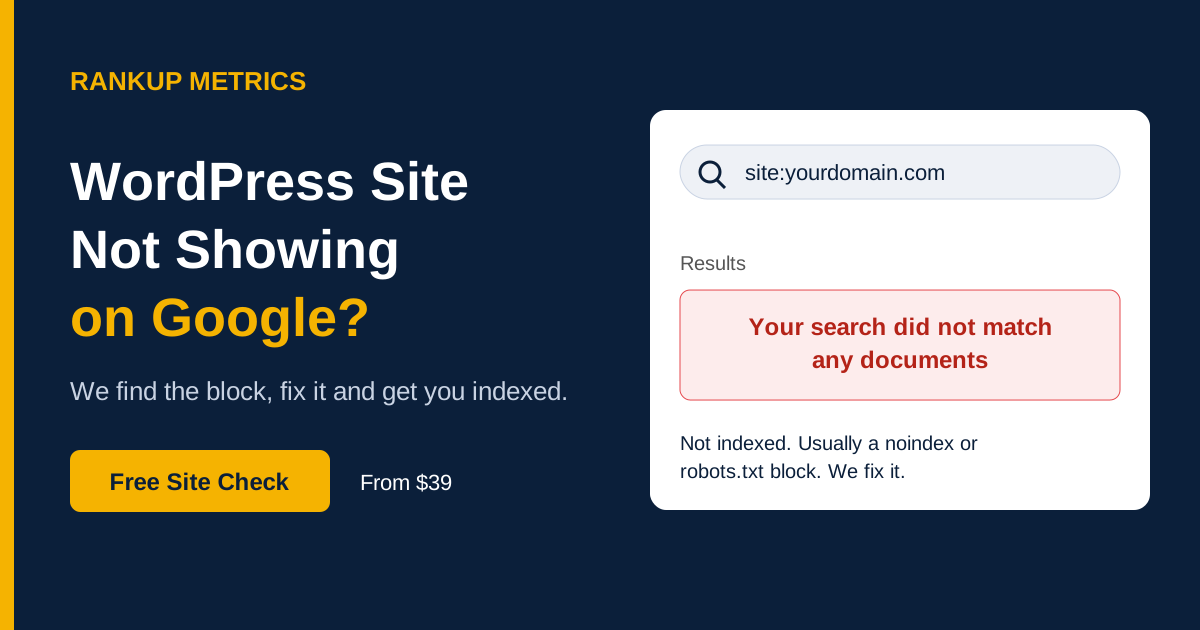
RankUp Metrics helps diagnose and fix a WordPress site that is missing from Google

Quick self-check

Is Google showing your site at all?

Open Google and search site:yourdomain.com, replacing the example with your own domain.

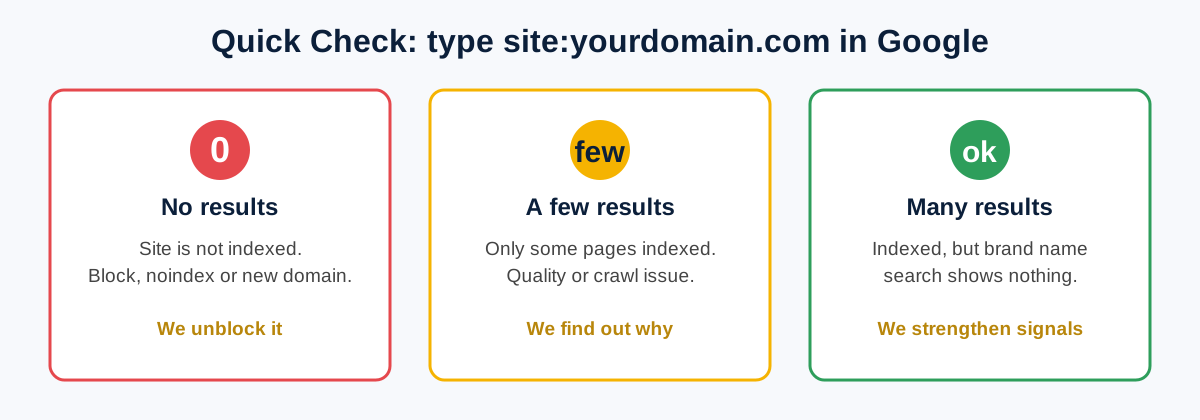
No results

Google has not indexed your site. A block, a noindex setting or a brand-new domain may be the cause.

Plenty of results, but no business-name result

Indexing may be fine, but your branded search signals could be weak. We can check which issue applies.

Don’t want to guess? Send us your URL for a free diagnosis →

If Google is missing specific pages, see our WordPress Indexing Issue Fix.

Is this happening to you?

Signs your WordPress site is missing from Google

Your new website launched weeks ago and still is not on Google

site:yourdomain.com returns “did not match any documents”

Your business-name search shows competitors or directories, but not your site

Your homepage is indexed but your service pages are missing

Search Console says “URL is not on Google”

Your site vanished after a redesign, migration or plugin update

Google shows an old domain, HTTP version or staging site instead of the live one

Common causes

Why a WordPress site doesn’t show on Google

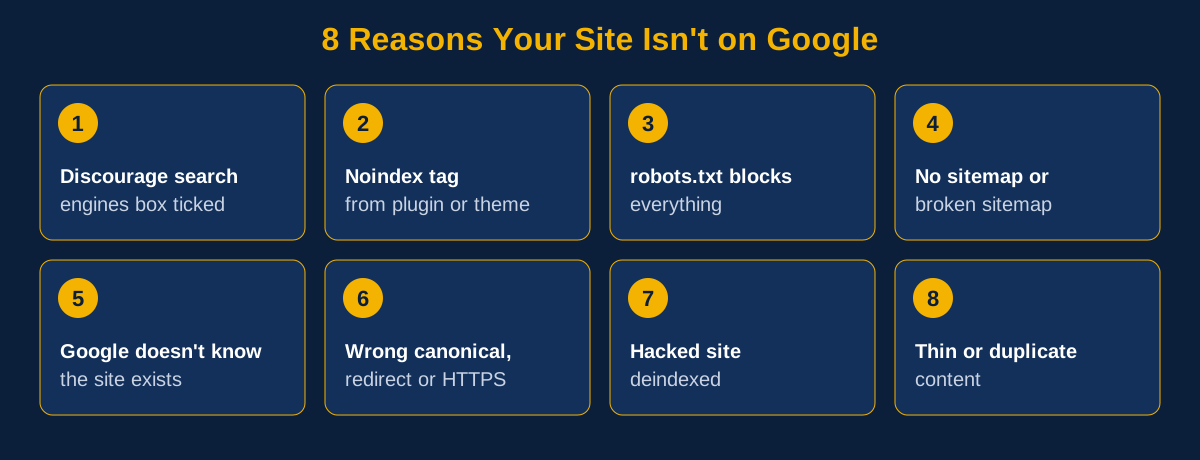
  • Search engine visibility is discouraged: “Discourage search engines from indexing this site” is often left on after development.
  • A noindex tag: An SEO plugin, page builder or theme setting tells Google not to index a page.
  • Robots.txt blocks crawling: A Disallow: / rule copied from staging can block the whole site.
  • No sitemap or a broken sitemap: Google may not have a clear map of your pages.
  • Google has not discovered the site: No Search Console property, sitemap submission or links may leave it undiscovered.
  • Wrong canonical or redirects: Google may be told that your pages live on another host, protocol or URL.
  • A hacked site: Malware can lead to spam pages or removal from search; see WordPress Malware Removal.
  • Thin or duplicate content: Google may crawl a page but decide it is not useful enough to index.
Common reasons a WordPress site may not appear in Google search

How we work

How RankUp Metrics gets your site showing on Google

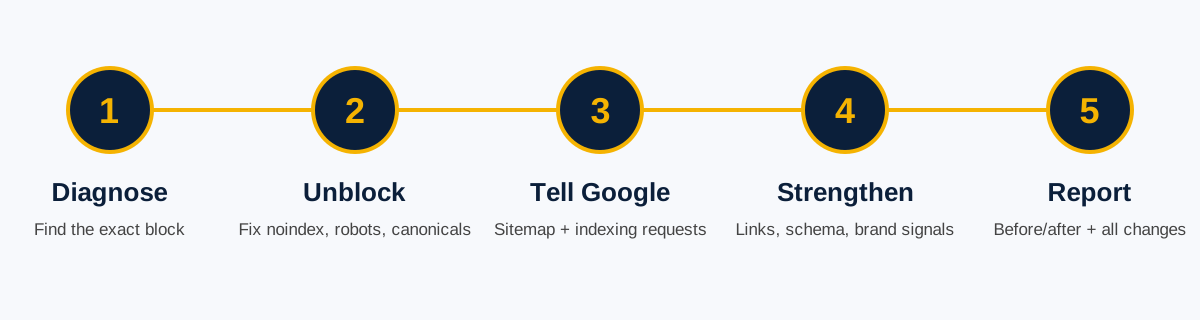
Five-step process to diagnose, unblock, submit and report on Google indexing issues

1. Diagnose

We run a site: search, check Search Console and inspect live URLs, robots.txt, meta tags, response headers and your sitemap.

2. Unblock

We fix relevant noindex tags, robots blocks, canonicals, redirects and HTTPS issues.

3. Tell Google

We verify Search Console, submit a clean sitemap and request indexing for priority pages.

4. Strengthen

We improve internal links and share basic business signals, schema and Google Business Profile guidance where appropriate.

5. Report

You receive a list of changes and what to expect as Google recrawls the pages over the next 2 to 4 weeks.

Start my diagnosis →

One-time packages

WordPress site indexing fix pricing

Choose the package that fits your site and how many pages need attention. We’ll confirm the scope before starting.

Basic

$39

New small site

  • Why-not-showing diagnosis
  • Noindex and robots.txt fix
  • Sitemap setup and Search Console submission
  • Canonical, redirect and HTTPS fixes
  • Branded search and schema setup
  • Indexing requests: Homepage
  • Support after delivery: 3 days
  • Delivery: 24 hours
Order Basic

Premium

$169

Migration, redesign or multi-page recovery

  • Why-not-showing diagnosis
  • Noindex and robots.txt fix
  • Sitemap setup and Search Console submission
  • Canonical, redirect and HTTPS fixes
  • Branded search and schema setup
  • Indexing requests: Up to 30 URLs
  • Support after delivery: 14 days
  • Delivery: 72 hours
Order Premium

Not sure which package fits? Talk to RankUp Metrics →

Before and after
From no search results to indexed pages

Illustration of the site: search self-check with no results, a few results and many results

Illustrative self-check graphic, not a client screenshot. The example below is not a verified case study.

Illustrative scenario: A new business site is live for six weeks, but Google shows no results. The WordPress visibility setting and robots.txt are blocking discovery. After those are corrected, the sitemap is submitted and priority URLs are sent for indexing. Google’s timing varies; no specific result or timeline is guaranteed.

Get help with my site →

Frequently asked questions

Website not showing on Google questions

Why is my website not showing up on Google?

Common causes are a noindex setting, a robots.txt block, a missing sitemap or Search Console setup, or a new domain Google has not discovered yet.

How long does Google take to show a new website?

It can take from a few days to a few weeks. If your site is still missing after about two weeks, something may be blocking it.

Why does my site not show when I search my business name?

Either the site is not indexed, or it is indexed but has weak branded signals. We check which one it is first.

What does “Discourage search engines from indexing this site” do?

It asks search engines not to index your site. You can find it in WordPress under Settings → Reading, and it is sometimes left on after development.

Is it the Google sandbox?

New sites can take time to rank, but being indexed is different from ranking. A site that is completely absent often has a technical issue that can be diagnosed.

Can you guarantee a first-page ranking?

No one can honestly guarantee a first-page ranking. We diagnose the cause, fix agreed technical issues and submit your pages for indexing, making them eligible to appear.

Do you need access to my website?

We may need temporary WordPress admin and, for some issues, Search Console access. Revoke access when the work is finished.

Free quick diagnosis

Your customers are searching. Make sure they can find you.

RankUp Metrics finds the block, fixes it and submits your pages to Google.