
WordPress technical SEO
WordPress Indexing Issue Fix: RankUp Metrics Gets Your Pages Into Google
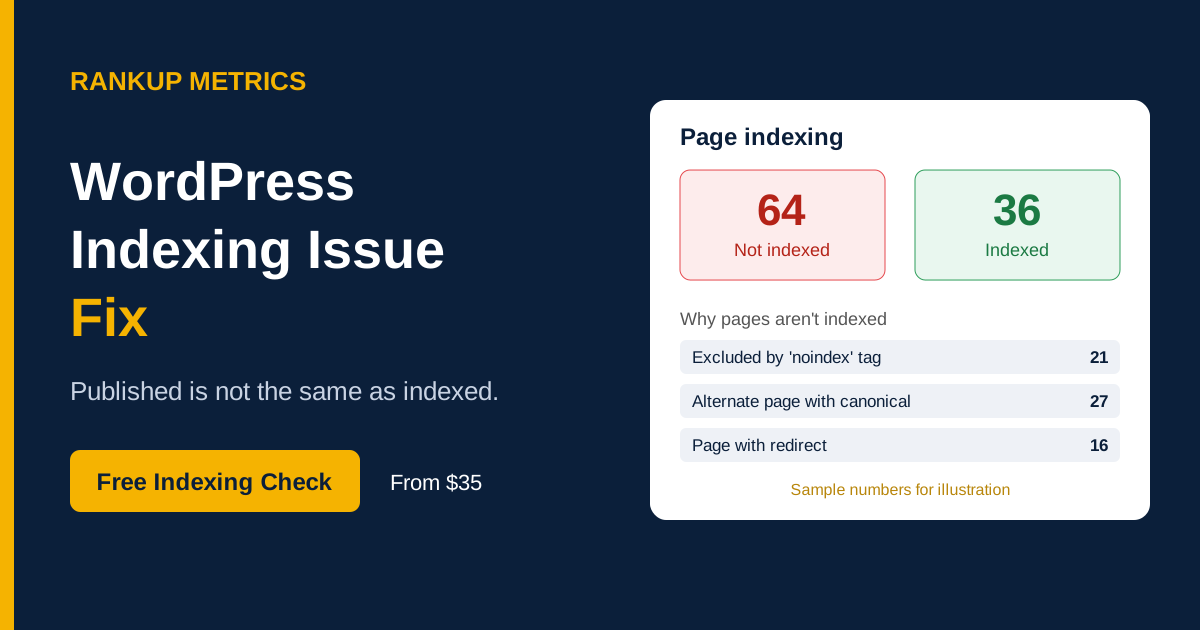
Your pages are published, but Google won’t index them. Search Console gives a vague reason and “Request Indexing” does nothing. RankUp Metrics reads the status for each URL, fixes the cause and submits your important pages.
- From $35
- Page-by-page diagnosis
- Report included
Is this happening to you?
WordPress pages not indexed by Google?
The Pages report lists URLs under “Why pages aren’t indexed”
You click Request Indexing and nothing changes after weeks
New blog posts or service pages never show up in Google
Important pages show “Excluded by noindex” or “Alternate page with proper canonical tag”
The number of indexed pages keeps falling
Your sitemap shows “Success” but most of its URLs are not indexed
Not sure what the status means? Send us a screenshot for a free diagnosis →
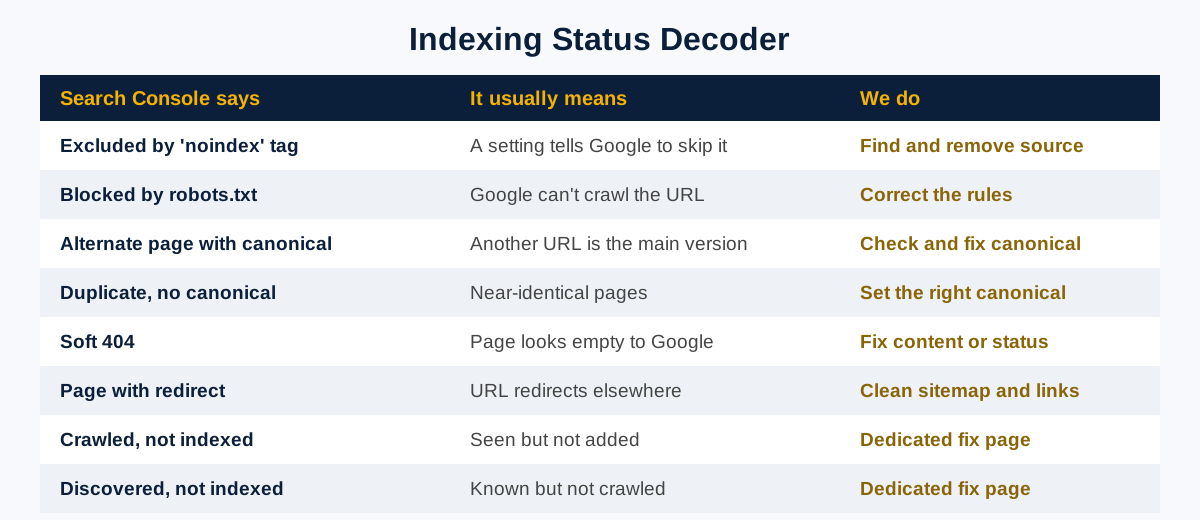
Search Console status decoder
What each indexing status means—and what to do
| What Search Console says | What it usually means | What RankUp Metrics does |
|---|---|---|
| Excluded by “noindex” tag | A plugin, theme or page setting tells Google to skip the page. | Find the source and remove noindex where the page should be indexed. |
| Blocked by robots.txt | Your robots.txt file stops Google from crawling the URL. | Correct the rules and retest the URL. See the dedicated fix → |
| Indexed, though blocked by robots.txt | Google knows the URL but cannot read its content. | Unblock it or use noindex correctly, depending on the page. See the dedicated fix → |
| Alternate page with proper canonical tag | Google treats another URL as the main version. | Check whether the canonical points to the intended URL. |
| Duplicate without user-selected canonical | Similar pages do not clearly identify a preferred version. | Set the right canonical and consolidate duplicates where appropriate. |
| Soft 404 | The page looks empty or not found to Google, despite returning a successful response. | Improve thin content or return the correct status. |
| Page with redirect | The URL redirects and is not the final page to index. | Remove redirected URLs from sitemaps and update internal links. |
| Crawled, currently not indexed | Google crawled the page but has not chosen to index it. | Review content and technical signals for this specific status. See the dedicated fix → |
| Discovered, currently not indexed | Google knows the URL but has not crawled it yet. | Review crawl demand, site health and internal links. See the dedicated fix → |
Some exclusions are normal. Tag archives and thank-you pages are often best left out of the index; we’ll help identify what to ignore.
If your entire website is missing from Google, see WordPress Site Not Showing on Google.
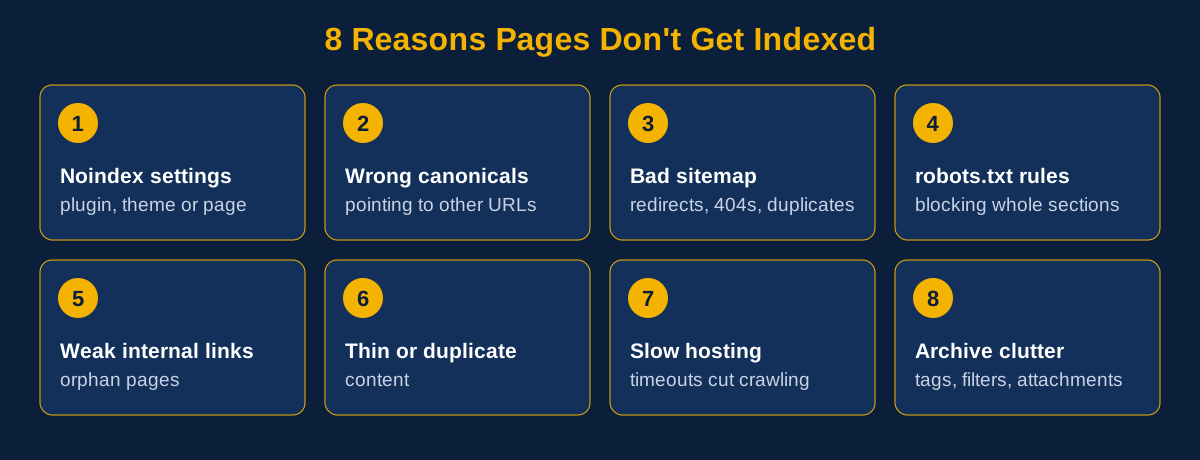
Common causes
Why WordPress pages don’t get indexed
How we work
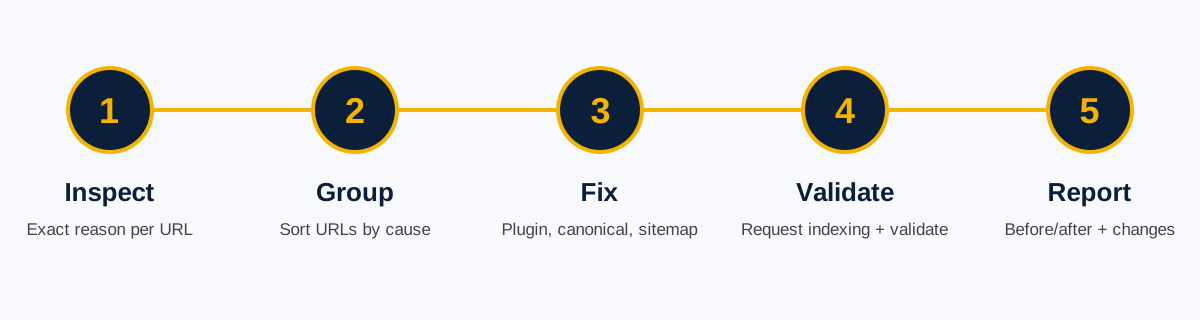
How RankUp Metrics fixes indexing issues
1. Inspect
We export your Pages report and inspect important URLs to find the exact reason each is excluded.
2. Group
We sort URLs by cause—noindex, canonical, robots, redirect or content—so shared issues can be fixed together.
3. Fix
We correct relevant plugin settings, canonicals, robots.txt, redirects and sitemap entries, and improve internal links.
4. Request and validate
We test the live URL, request indexing for priority pages and start Validate Fix in Search Console where appropriate.
5. Report
You receive before-and-after documentation, a change list and guidance on which exclusions are normal.
One-time packages
WordPress indexing issue fix pricing
Choose the package based on the number of affected URLs and the complexity of the issues.
Basic
$35
One indexing blocker
- Status diagnosis: Up to 5 URLs
- Noindex and robots.txt fix
- Canonical and redirect fix
- Sitemap clean-up
- Internal linking improvements
- Indexing requests and Validate Fix: 5 URLs
- Support after delivery: 3 days
- Delivery: 24 hours
Standard
$85
Several statuses on one site
- Status diagnosis: Up to 25 URLs
- Noindex and robots.txt fix
- Canonical and redirect fix
- Sitemap clean-up
- Internal linking improvements
- Indexing requests and Validate Fix: Up to 15 URLs
- Support after delivery: 7 days
- Delivery: 48 hours
Premium
$160
Large site or hundreds of URLs
- Status diagnosis: Full Pages report
- Noindex and robots.txt fix
- Canonical and redirect fix
- Sitemap clean-up
- Internal linking improvements
- Indexing requests and Validate Fix: Up to 30 URLs
- Support after delivery: 14 days
- Delivery: 5 days
Large site or unusual setup? Get a custom quote →
Before and after
From excluded URLs to a validated fix
Before: indexing issue identified
Important URLs appear in Search Console under statuses such as “Excluded by noindex” or “Alternate page with proper canonical tag.”
After: technical changes checked
The relevant setting or URL issue is corrected, the live page is tested, and priority URLs are submitted for Google to review.
Illustrative workflow, not a client screenshot or verified case study. Google controls whether and when a page is indexed.
Illustrative scenario: A service site has multiple URLs reported as alternate canonicals or excluded by noindex. An audit finds a plugin setting affecting key pages and redirected URLs in the sitemap. The settings and sitemap entries are corrected, then important URLs are validated. Actual indexing results and timing depend on Google.
Frequently asked questions
WordPress indexing questions
Why are my WordPress pages not indexed?
Common causes are noindex settings, wrong canonicals, robots.txt blocks, a poor sitemap, weak internal links or thin content. Search Console shows the exact reason for each URL, which is where we start.
Why does Request Indexing not work?
It only asks Google to look again. If a noindex tag, canonical or block is still in place, Google may skip the page. The cause needs to be fixed first.
How long until pages get indexed after the fix?
It often takes one to four weeks, depending on your site and Google’s crawling. Priority pages may move sooner, but timing is up to Google.
Do I need every page indexed?
No. Tag archives, internal search results and thank-you pages are often better left out of the index. We help distinguish expected exclusions from issues affecting important pages.
What is the difference between this and the Crawled or Discovered fixes?
This service reviews indexing statuses across your URLs. The dedicated Crawled and Discovered pages focus on those two specific statuses in more depth.
Can you guarantee indexing?
No. Google decides what to index. We diagnose and fix technical blockers, submit priority URLs and report clearly on the work.
Do you need access to my site?
WordPress admin and Search Console access (a user account is enough) help with most fixes. Grant temporary access and remove it when we finish.
Free indexing check
Published is not the same as indexed.
RankUp Metrics finds the reason for each URL and helps get your important pages seen.