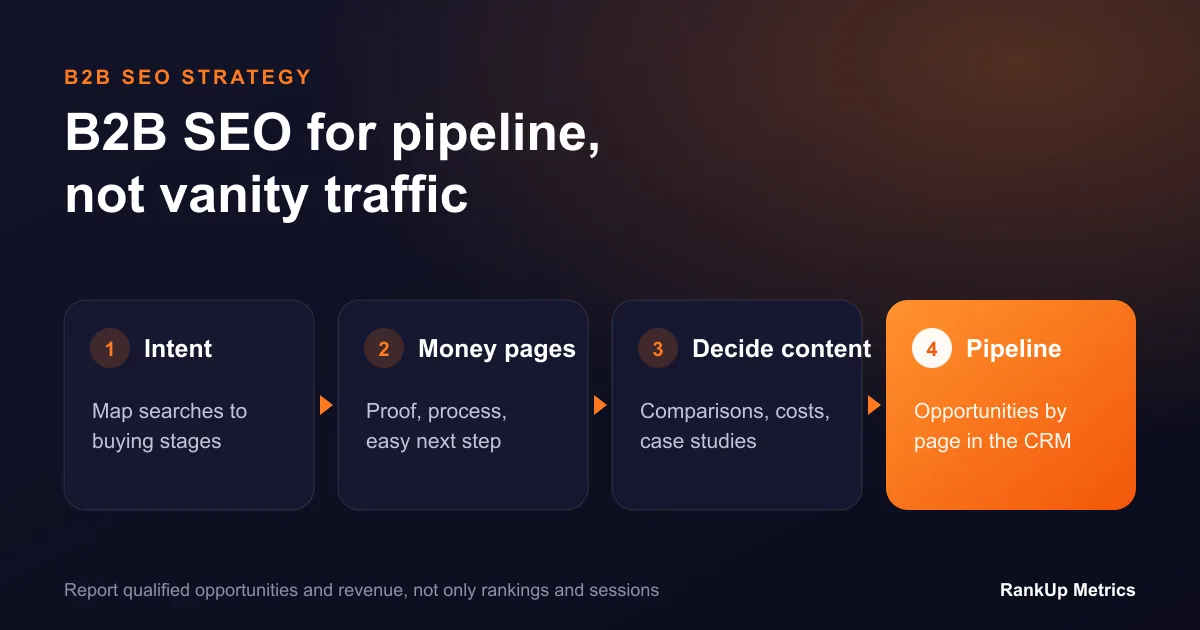


B2B SaaS websites often publish plenty of content but still leave buyers with unanswered questions. A blog may explain general industry concepts while the product pages say little about who the software is for, what it replaces, how it fits into a workflow, or what implementation involves. Search traffic can grow without helping a qualified buyer make a decision.
A better B2B SaaS SEO content strategy starts with the jobs buyers need to complete. It connects each stage of research to a page that genuinely helps, then gives those pages a clear relationship to the product and to one another. This guide lays out a practical architecture for smaller marketing teams and growing software businesses.
Start with the buying group and the problem
In a business purchase, the person searching may not be the person approving the budget or implementing the software. Map the roles involved: daily users, technical reviewers, managers, procurement, and the executive sponsor. For each role, write down the decision they need to make and the evidence they require.
Useful discovery questions include:
- What workflow is slow, risky, or difficult to manage today?
- What tools or workarounds are already in place?
- What triggers the search for a new system?
- Which requirements are essential, and which are preferences?
- What would make implementation fail?
- What does the buyer need to prove internally before moving forward?
Use sales calls, support questions, onboarding notes, product documentation, and customer interviews as research inputs. Do not publish confidential customer information. Instead, identify repeated questions and explain the underlying issue in a way that is accurate and broadly useful.
Assign each search intent to a page type
Not every query deserves a new URL. Group searches by the problem and decision behind them, then select the best page type.
| Buyer need | Page type | What the page should help them do |
|---|---|---|
| Understand a problem or process | Educational guide | Learn the concept and evaluate practical options |
| Find software for a category | Category or product page | Understand the product’s purpose, fit, and core capabilities |
| Solve a particular workflow | Use-case page | See how the workflow works and what inputs or setup it needs |
| Compare approaches or alternatives | Comparison page | Evaluate meaningful differences, trade-offs, and selection criteria |
| Assess a specific integration | Integration page | Understand supported data flow, requirements, and ownership |
| Estimate readiness and effort | Implementation guide | Prepare for migration, configuration, training, and ongoing operation |
The goal is not to create a page for every keyword variation. Google recommends useful, original, people-first content and warns against producing pages mainly to capture search variations. Several queries with the same intent can often be answered well on one strong page.
Design the core product page first
Before expanding the blog, make sure the product or category page can answer the buyer’s central questions. A useful page explains:
- who the product is designed for and who may need a different option
- the work it supports and the main workflows involved
- what the product does, with specific capabilities rather than vague superlatives
- how it connects with a team’s current tools and data
- important security, permissions, and implementation considerations
- what onboarding, training, support, and handover mean in practice
- pricing logic or the information required for a scoped proposal
- the next step and what happens after a buyer takes it
Only state capabilities that exist and can be supported. If a feature is on the roadmap or depends on configuration, label that clearly. Specific limits build more trust than a broad promise that the product fits everyone.
Build use-case pages around real workflows
A use-case page earns its place when a distinct audience or workflow needs a different explanation. Describe the starting point, the people involved, the decisions or handoffs, the data required, and the way success would be evaluated. Include exceptions and human oversight where relevant.
For example, a reporting automation page could explain which source systems feed a report, who checks exceptions, how access is controlled, and what happens when an input is missing. It should not claim that a system eliminates all manual work unless that is demonstrably true for the described scope.
If two proposed use-case pages would have nearly identical content, combine them and make the shared page more useful. Split them only when their users, workflows, constraints, or selection criteria are meaningfully different.
Use comparison pages responsibly
Buyers search for comparisons because they need to understand trade-offs. A helpful comparison explains the criteria first: workflow fit, administration, integrations, data ownership, implementation effort, total cost, and support model. If you compare your product with another vendor, use verifiable information, disclose relevant relationships, and state when each option may suit a different buyer.
Avoid thin “alternative” pages that repeat the same template with only a competitor name changed. That approach gives readers little help and can make a site difficult to navigate. One transparent comparison framework may be more valuable than dozens of nearly interchangeable pages.
Connect the architecture with internal links
Internal links should help a buyer move to the next useful piece of information. An educational guide can link to a relevant product page when it is genuinely useful. A use-case page can link to implementation details and related integrations. A comparison page can point to the product specifications that support its claims.
Use descriptive link text that tells readers what they will find. Avoid forcing every article to link to every service. A small, logical set of paths is easier to understand and maintain than a large block of repetitive links.
Prioritize a manageable editorial roadmap
Score opportunities using four questions:
- Audience fit: Does the topic matter to the customers the business is equipped to serve?
- Decision value: Will the page help a buyer understand, compare, implement, or use a solution?
- Distinct contribution: Can the team add first-hand process knowledge, evidence, or insight?
- Commercial connection: Is there a clear, useful next step related to the product?
Prioritize topics where the team can answer all four. Do not use search volume alone as the editorial calendar. A low-volume implementation question from a qualified buyer can be more valuable than a broad topic that attracts the wrong audience.
For each planned URL, record the primary intent, intended reader, unique promise, evidence source, owner, internal links, and next review date. This simple brief helps prevent two writers from creating competing pages for the same need.
Measure qualified progress, not just publishing volume
Track organic impressions and clicks by page group, but also monitor qualified actions: demo requests that match your market, product enquiries, trial activation, or content-assisted opportunities. Define these outcomes with sales and product teams before reporting them.
Review pages that attract impressions but few relevant clicks for title clarity and intent fit. Review pages that earn visits but no meaningful next actions for usefulness, audience match, and conversion friction. Avoid rewriting pages solely because a short-term ranking changed; confirm the pattern and identify a real improvement first.
A simple 90-day sequence
- Weeks 1–2: Interview sales, support, and product stakeholders; map buyer questions and existing URLs.
- Weeks 3–4: Choose one core product or category page and two high-value use cases. Consolidate obvious overlap.
- Weeks 5–8: Improve the core page, publish the first use-case page, and add contextual internal links.
- Weeks 9–12: Publish a comparison or implementation resource, review Search Console data, and collect feedback from sales and customer success.
This sequence is intentionally small. A few pages with clear purpose and genuine product knowledge are easier to improve than a large batch of thin content.
Frequently asked questions
How many keywords should one B2B SaaS page target?
Build the page around one clear user need and include the related questions that naturally belong with it. Several variations can fit one intent; a separate page is only useful when the underlying need is different.
Should a SaaS company create a page for every industry?
Only when the product, workflow, evidence, or constraints differ meaningfully for that industry. If the page would merely swap the industry name, it is unlikely to give the reader enough distinct value.
What should a B2B SaaS SEO dashboard include?
At minimum, track organic visibility by page group, qualified actions, and the relationship between the page and the buyer journey. Add technical health and conversion details where they inform a specific decision.
For a broader organic growth plan, see our SEO services for small businesses and B2B teams. City-specific examples include our B2B SEO for Leeds firms, Birmingham manufacturing SEO and Austin startup SEO pages.