You add 400 products, submit the sitemap and wait. A month later Search Console says most of them are "Discovered – currently not indexed" or "Crawled – currently not indexed". The products exist, the pages load, and customers can buy them. Google just is not showing them.
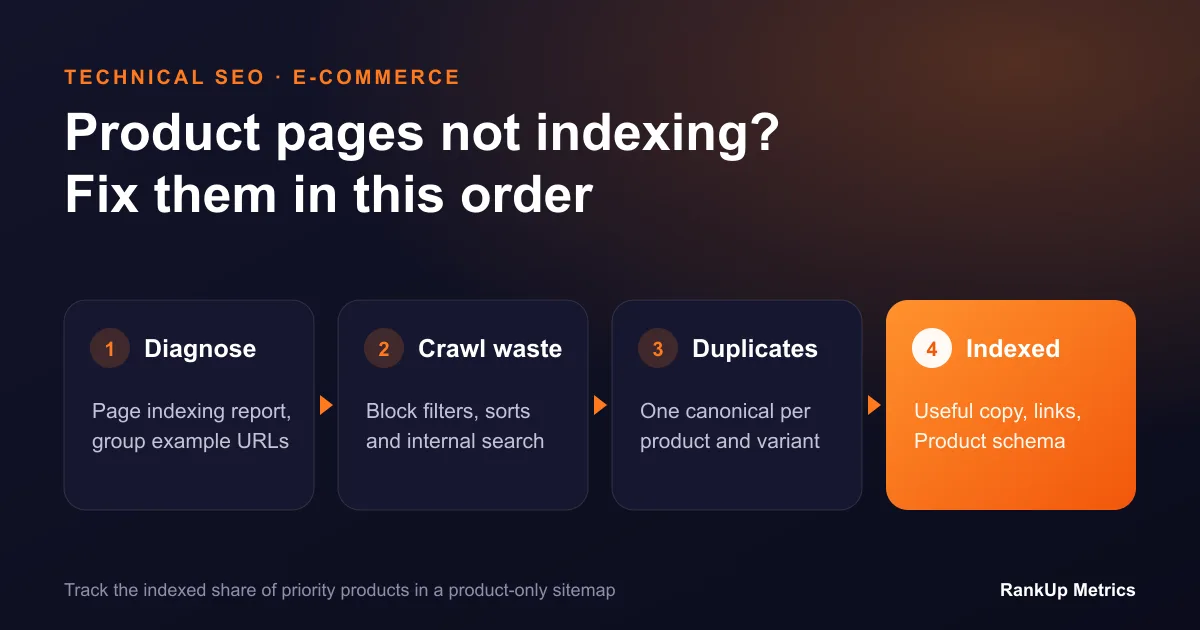
This guide is for store owners, e-commerce managers and developers whose product pages are not indexing. It shows how to find the real cause in Search Console, then fixes it in the order that usually makes the biggest difference: crawl waste first, then duplicates, then page quality.
Step 1: Read the Page Indexing Report Properly
Open Search Console, go to Indexing → Pages, and look at the reasons listed under "Why pages aren't indexed". Google explains each status in its Page indexing report documentation. For a shop, four reasons matter most:
| Status | What it usually means for a shop |
|---|---|
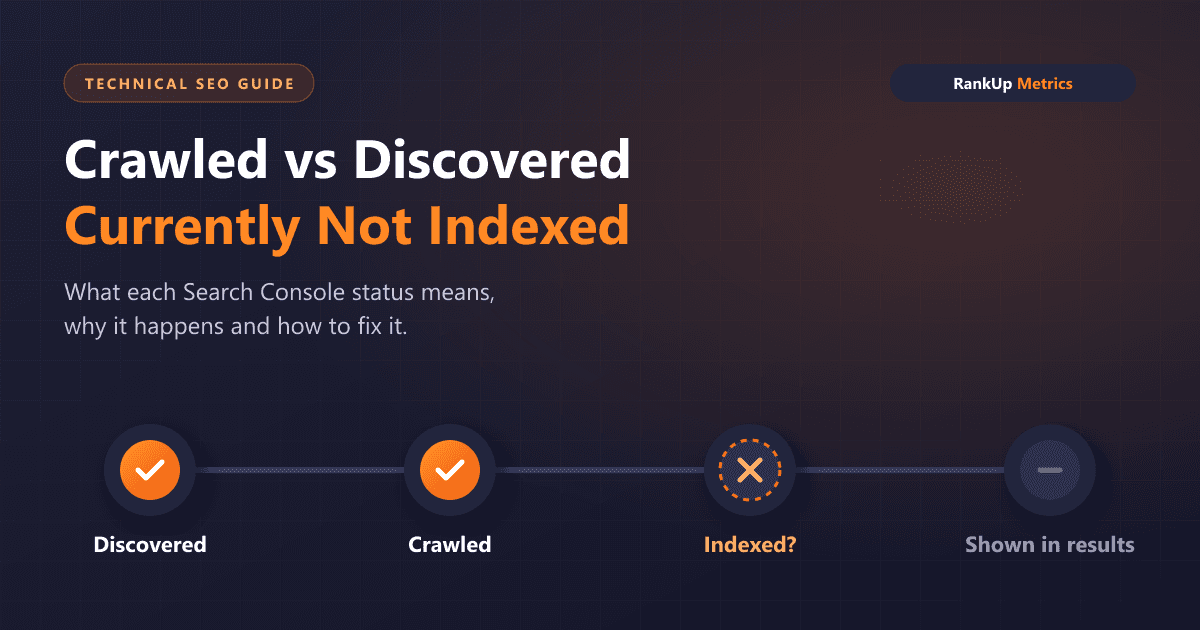
| Discovered – currently not indexed | Google knows the URL but has not crawled it yet. Often a crawl budget or internal linking problem. |
| Crawled – currently not indexed | Google fetched the page and decided not to index it for now. Often duplicates or thin pages. |
| Duplicate without user-selected canonical | Google found several near-identical URLs and picked one itself. |
| Alternate page with proper canonical tag | Working as intended, as long as the canonical target is indexed. |
Click a reason, then open the example URLs. Sort them into groups: product pages, filtered category URLs, internal search pages, parameter URLs and variant URLs. The group with the most URLs tells you where to start.
A quick test: if filtered and parameter URLs far outnumber real product URLs in the report, you have a crawl waste problem. Fix that before touching product content.
Step 2: Stop Crawl Waste from Filters and Parameters
Faceted navigation is the most common reason a store's real products are discovered but never crawled. Every combination of colour, size, price, brand and sort order can create a new URL. A catalogue of 2,000 products can generate hundreds of thousands of crawlable filter URLs, and Google spends its time there instead of on your products.
Google's guidance on managing faceted navigation gives two options. Our view of each:
- If filtered pages do not need to rank, block the filter parameters in robots.txt, or make the filters work without creating new crawlable links. This is the right choice for sort orders, price sliders, "in stock only" toggles and most multi-select combinations.
- If some filtered pages should rank, for example "women's waterproof hiking boots", turn those into proper category or landing pages with their own clean URL, heading, unique introduction and internal links. Leave the rest blocked.
Then check internal search. Search result pages such as /search?q= should not be crawlable or indexed. They create endless thin URLs and rarely help anyone arriving from Google.
Finally, check your XML sitemap. It should list only canonical, indexable product and category URLs that return a 200 status. Remove filtered URLs, redirected URLs, out-of-stock pages you plan to delete and anything with a noindex tag. A clean sitemap is a clear signal of what you want indexed.
Step 3: Fix Duplicates and Variants
Once crawling is focused, deal with near-duplicate pages. The usual sources in e-commerce:
Variant URLs. If every colour or size has its own URL with the same description, Google sees near-duplicates. Choose one approach. Either keep a single product URL with variant selectors, or keep separate variant URLs only where people search for the variant specifically and the page has meaningfully different content.
Products in several categories. Platforms often create paths such as /mens/shoes/trail-runner and /sale/trail-runner for the same item. Make sure every path points to one canonical product URL, and link internally to that URL only.
Manufacturer descriptions. If you sell the same product as 50 other retailers using the same supplier text, Google has little reason to index your copy. You do not need to rewrite every product. Start with the products that sell best or have the most search demand.
Check your canonicals with Google's documentation on consolidating duplicate URLs. The canonical should be absolute, point to an indexable 200 URL and match the URL you link to internally and list in the sitemap. When those three disagree, Google often picks its own canonical.
Step 4: Give Google a Reason to Index the Product
"Crawled – currently not indexed" on real products usually means Google does not see enough value to index the page yet. Strengthen the pages that matter most first:
- Write useful, specific copy. Cover what the product is for, who it suits, key specifications, sizing or compatibility, and what is included. Two short paragraphs written for buyers beat a long generic block.
- Put specifications in HTML. Dimensions, materials and compatibility should be readable text, not only in an image or a PDF.
- Add real reviews and Q&A where you have them. They add unique, useful content and help buyers decide.
- Use original images where possible, with descriptive file names and alt text.
- Add Product structured data with price, availability, brand and identifiers such as GTIN. It does not make a page indexable on its own, but it helps Google understand the page and is needed for many shopping features.
Step 5: Strengthen Internal Links to Products
Products that are only reachable through page 9 of a category are hard for Google to discover and easy to treat as unimportant. Improve this with:
- category pages that link directly to the best-selling and most important products;
- sensible pagination with normal crawlable links, not only "load more" buttons that need JavaScript;
- "related products" and "frequently bought together" blocks that use plain links;
- buying guides that link to the specific products they recommend.
If your store renders product links with JavaScript only, check the rendered HTML with the URL Inspection tool. Links Google cannot find do not help discovery.
Step 6: Handle Out-of-Stock and Discontinued Products
Stock changes create a lot of index churn. A simple policy prevents most of it:
- Temporarily out of stock: keep the page live and indexable, show the expected restock date and offer alternatives.
- Permanently discontinued with a close replacement: redirect with a 301 to the replacement product.
- Permanently discontinued with no replacement: return a 404 or 410, or keep the page if it still gets useful traffic and links to alternatives.
Avoid redirecting every discontinued product to the homepage. Google usually treats those as soft 404s.
Step 7: Ask for Indexing and Track the Right Number
After the fixes, use URL Inspection to request indexing for a handful of the most important products, then resubmit the sitemap. Do not try to request every URL by hand.
Track the number that matters: indexed product URLs as a share of the products you want indexed. Create a separate sitemap for products so you can watch that share in the Page indexing report. Then check clicks and revenue from organic search for those products in Search Console and analytics.
Most stores see crawling change within a few weeks of removing crawl waste. Indexing of weaker product pages takes longer and depends on how much the pages improve.
When the Fix Needs a Developer
Some causes sit in the platform rather than the content: filters that create crawlable links, canonical tags set by a theme, JavaScript-only product grids, or sitemaps generated with the wrong URLs. If the steps above point to one of these, the fix belongs in the code.
If you want a second opinion, our technical SEO services start with exactly this kind of crawl and indexing review. For specific statuses, see our dedicated fixes for Crawled – currently not indexed and Discovered – currently not indexed, or read our guide to the difference between the two statuses.
Quick Checklist
- Page indexing report reviewed and example URLs grouped by type
- Filter, sort and internal search URLs blocked or turned into real landing pages
- Sitemap lists only canonical, indexable, 200-status product and category URLs
- One canonical URL per product, used in links, canonicals and the sitemap
- Unique copy, HTML specifications and Product structured data on priority products
- Important products linked from categories, guides and related-product blocks
- Clear rules for out-of-stock and discontinued products
- Indexed share of priority products tracked monthly