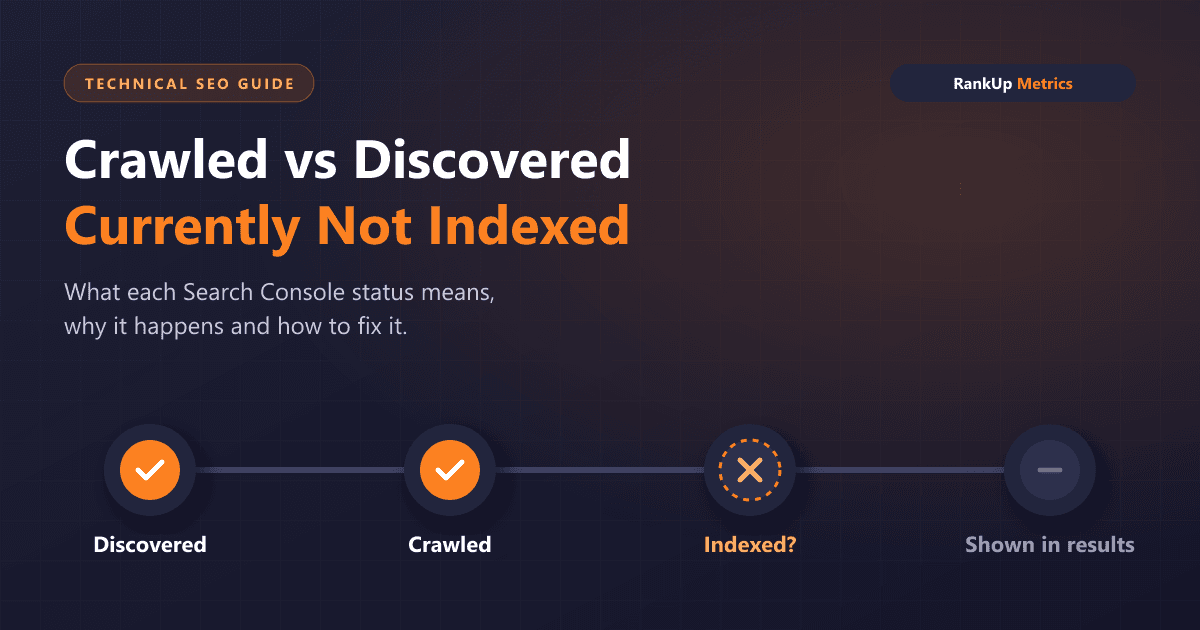
Two of the most common rows in Google Search Console's Page indexing report are Crawled – currently not indexed and Discovered – currently not indexed. Both mean a URL is not in Google's index, so it cannot appear in search results. They are not the same problem, though, and treating them the same way wastes time.
This guide explains what each status means, why it usually happens, and the order in which to investigate it. It applies to any website, with extra notes for WordPress, where these statuses are especially common.
The short answer
- Discovered – currently not indexed: Google knows the URL exists but has not crawled it yet.
- Crawled – currently not indexed: Google crawled the page but decided not to index it for now.
In Google's own Page indexing report documentation, "Discovered" pages were found but not crawled, typically because crawling was expected to overload the site and was rescheduled. "Crawled" pages may or may not be indexed in the future, and there is no need to resubmit them for crawling.
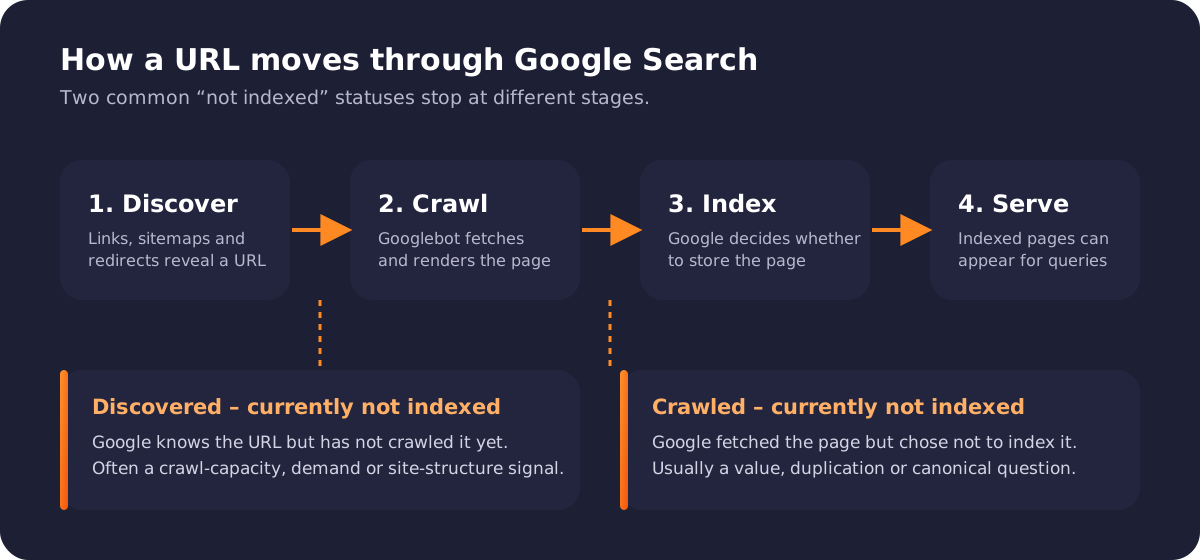
Discovered pages stop before crawling; crawled pages stop before indexing.
Why the difference matters
Google Search works in stages: it discovers URLs through links, sitemaps and redirects, crawls them, indexes the ones it considers worth storing, and serves indexed pages for relevant queries. A page can stall at any stage.
The stage tells you where to look:
| Status | Stage it stopped at | Most likely question to answer |
|---|---|---|
| Discovered – currently not indexed | Before crawling | Why isn't Google prioritising a crawl of this URL? |
| Crawled – currently not indexed | Before indexing | Why didn't Google think this page was worth indexing? |
Fixing a crawl-priority problem with content rewrites, or a quality problem with sitemap resubmissions, rarely works.
What causes "Discovered – currently not indexed"
Google has the URL in its queue but has not fetched it. Common reasons:
- Crawl capacity. If the server responds slowly or returns errors, Google reduces how much it crawls to avoid overloading the site. Large sites with slow hosting feel this most. Google's guide to managing crawl budget explains how capacity and demand interact.
- Low crawl demand. URLs with few or no internal links, or that sit deep in pagination, look less important.
- Too many low-value URLs. Faceted filters, tag archives, search result pages, session parameters and near-duplicate variations can flood the queue and dilute attention from the pages that matter.
- New or recently expanded sites. A site that publishes hundreds of new URLs at once may see many of them waiting in this state for a while.
How to fix it
- Improve server response. Check host performance, caching and error rates. Look at the Crawl stats report in Search Console for response times and failed requests.
- Link to the page from relevant, already-indexed pages. Internal links are one of the clearest priority signals you control.
- Keep the XML sitemap clean. List only canonical, indexable URLs that return status 200. Remove redirects, noindex pages and parameter variations.
- Reduce crawl waste. Stop generating thin archive, filter and internal search URLs that do not need to be crawled, and fix links that point to them.
On WordPress, crawl waste often comes from tag, author, date and attachment archives. Our guide to the WordPress sitemap and robots.txt fix covers how to keep those under control.
What causes "Crawled – currently not indexed"
Google fetched the page and chose not to index it yet. This is usually a judgement about the page rather than a technical block. Common reasons:
- Thin or unhelpful content. Pages with little original text, auto-generated copy, or content that adds nothing beyond what already ranks.
- Duplication. The page is very similar to another URL on your site or elsewhere, so Google indexes the other version instead. Google's guidance on consolidating duplicate URLs explains how canonical signals work.
- Weak internal signals. Orphan pages, or pages linked only from the sitemap, can look unimportant even after crawling.
- Rendering problems. If key content loads only after scripts that fail or time out, Google may see an almost empty page.
- Timing. Sometimes a page is simply queued for a later decision. Google notes these pages may be indexed in the future.
How to fix it
- Confirm the page should be indexed at all. Not every URL deserves a place in search.
- Inspect the live URL in Search Console. Confirm it returns status 200, has no
noindex, is not blocked by robots.txt and renders its main content. - Check the canonical. If Google selected a different canonical, decide which page should win and consolidate the other.
- Strengthen the page. Answer the search intent fully, add original detail, examples or data, and make it clearly different from similar pages.
- Add contextual internal links from relevant pages that are already indexed.
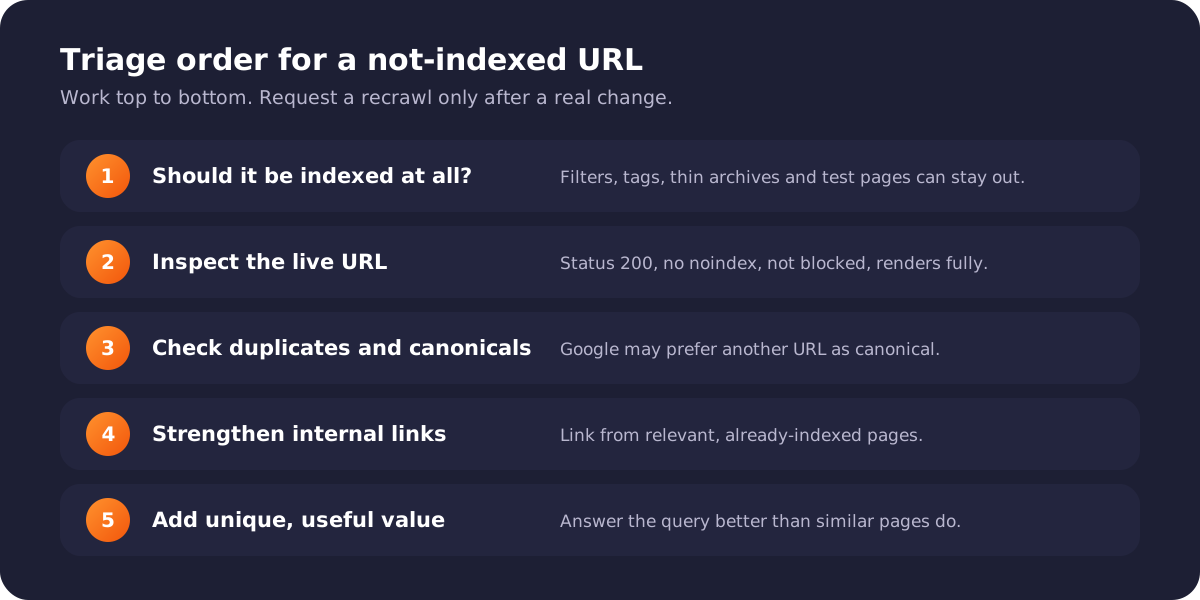
Work through the checks in order. Request a recrawl only after a real change.
When to use "Request indexing"
The URL Inspection tool's Request indexing button asks Google to recrawl a single URL. It is useful after you have fixed something meaningful on an important page. It is not a bulk fix, it has a daily quota, and repeatedly requesting indexing for unchanged pages will not change Google's decision.
For many URLs, a clean sitemap and good internal linking do more than manual requests.
Which pages can safely stay "not indexed"
Seeing these statuses in Search Console is not automatically a problem. It is normal for some URLs to be excluded, for example:
- tag, date and author archives that duplicate category pages
- filter and sort combinations in shops
- internal search result pages
- paginated pages beyond the first few
- thank-you, cart and account pages
Focus on pages that should bring search traffic: services, product and category pages, and genuinely useful articles. If the affected list contains those, investigate. If it mostly contains low-value URLs, the better fix is often to stop creating or linking to them.
A note for WordPress sites
WordPress creates many URL types by default, and plugins can add more. Common sources of not-indexed URLs include:
- attachment pages for every uploaded image
- tag archives with only one or two posts
- duplicate URLs from trailing-slash,
wwworhttpvariations - page-builder templates or test pages left published
- thin location or service pages generated from the same template
Fix these at the source rather than requesting indexing for each URL. If important WordPress pages are still not appearing, our WordPress indexing issue fix guide walks through the wider checks.
Frequently asked questions
How long does it take for a "Crawled – currently not indexed" page to get indexed?
There is no fixed timeframe. Some pages are indexed within days once they are improved and linked well; others never are if Google continues to see them as duplicates or low value. Track the URL in Search Console after a real change rather than waiting on a set date.
Should I delete pages that are "Crawled – currently not indexed"?
Not automatically. First decide whether the page serves users. Improve and consolidate useful pages; remove, redirect or noindex pages with no purpose.
Does submitting a sitemap fix "Discovered – currently not indexed"?
A sitemap helps Google discover URLs, but these pages are already discovered. What usually helps is better crawl capacity, stronger internal links and less crawl waste.
Can a robots.txt block cause these statuses?
A robots.txt block normally shows as Blocked by robots.txt instead. If you see the not-indexed statuses, the page was not blocked, or at least not at the time of the last check.
Need help with indexing?
If important pages are stuck in either status, we can audit crawl data, canonicals, internal links and content quality together. See our Crawled – currently not indexed fix and Discovered – currently not indexed fix services, or our wider Google Search Console error fix.