
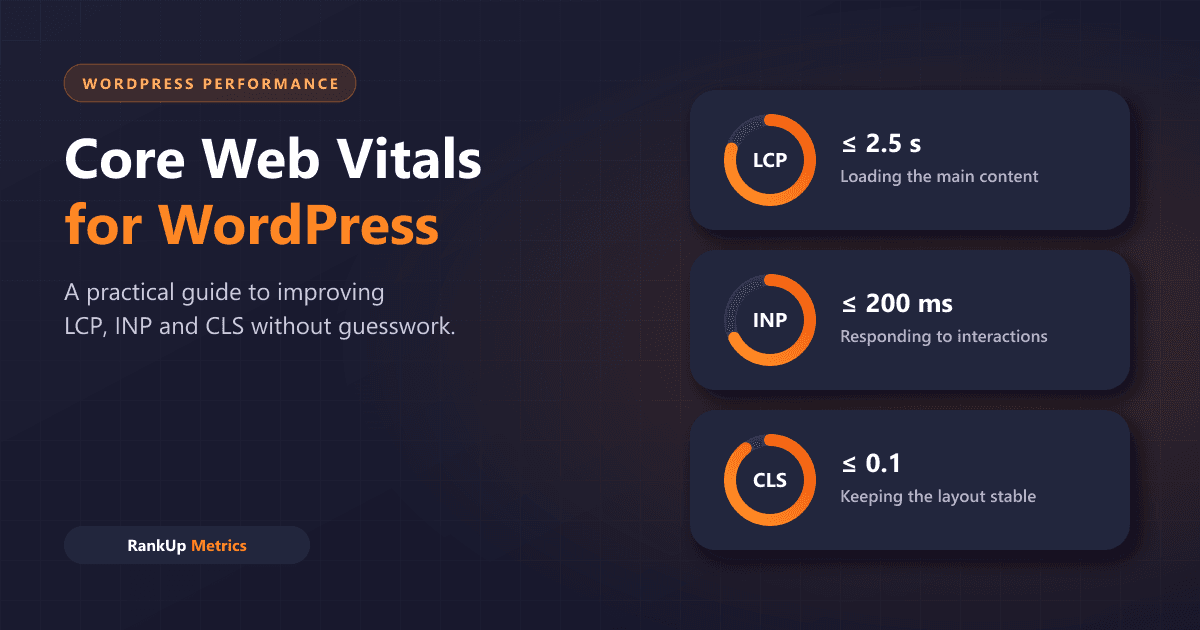
Core Web Vitals are three measurements Google uses to describe real-world page experience: how quickly the main content appears, how quickly the page responds to input, and how stable the layout stays while it loads. On WordPress, a theme, a page builder and a handful of plugins can affect all three.
This guide explains what each metric means, how to measure it properly, and the WordPress fixes that usually make the biggest difference.
The three Core Web Vitals
| Metric | What it measures | Good | Poor |
|---|---|---|---|
| LCP – Largest Contentful Paint | How long the largest visible content element takes to render | ≤ 2.5 s | > 4 s |
| INP – Interaction to Next Paint | How quickly the page visually responds to clicks, taps and key presses | ≤ 200 ms | > 500 ms |
| CLS – Cumulative Layout Shift | How much visible content moves unexpectedly | ≤ 0.1 | > 0.25 |
A page meets the recommended target for a metric when the 75th percentile of real page loads falls in the "good" range, measured separately for mobile and desktop. INP replaced First Input Delay (FID) as a Core Web Vital in March 2024. The definitions and thresholds come from Google's Web Vitals documentation.
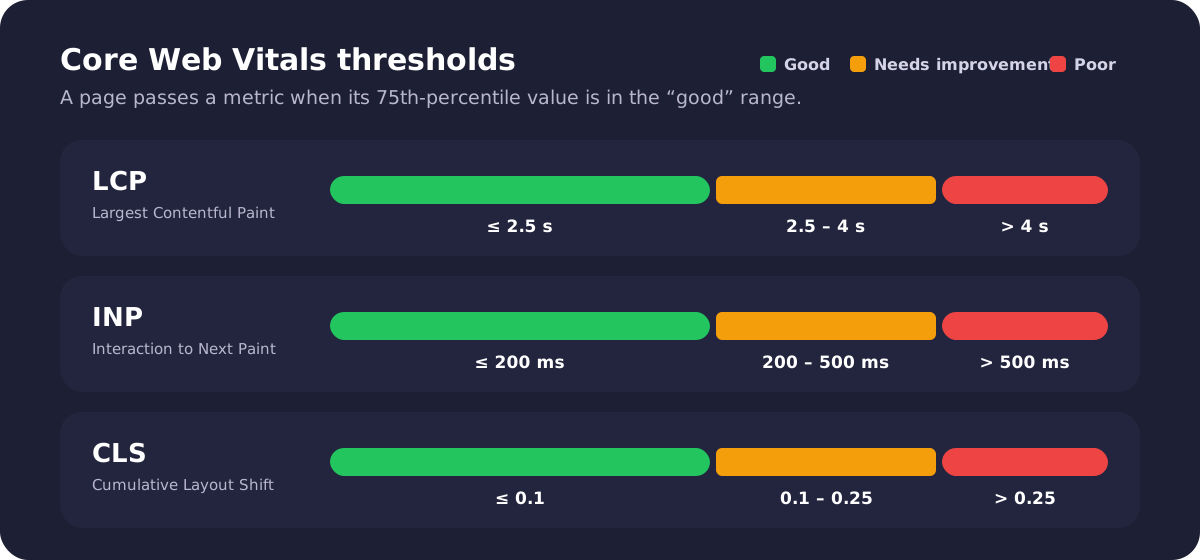
Each metric has a good, needs-improvement and poor range.
Do Core Web Vitals affect rankings?
Google's Core Web Vitals guidance recommends achieving good Core Web Vitals and says they align with what its ranking systems seek to reward. It is also clear that relevance and helpful content matter more: a fast page will not outrank a much more useful one.
Treat Core Web Vitals as part of a good user experience, not as a shortcut to rankings. Faster, more stable pages also tend to convert better, which matters even when rankings do not move.
Measure field data first
There are two kinds of performance data:
- Field data comes from real Chrome users through the Chrome UX Report (CrUX). This is what the Core Web Vitals assessment is based on.
- Lab data comes from a simulated test, such as Lighthouse. It is useful for debugging but does not represent your real visitors.
Use these tools in order:
- Search Console → Core Web Vitals report. Shows which groups of URLs pass or fail on mobile and desktop, based on field data.
- PageSpeed Insights. Shows field data for a URL or origin (when enough data exists), plus a Lighthouse lab test with specific diagnostics.
- Chrome DevTools Performance panel. Helps you find the exact element, script or layout shift behind a problem.
Small or new sites may not have enough traffic for field data. In that case, use lab tests to find problems, but remember that real users on slower phones and networks often see worse results than a desktop test.
How to improve LCP on WordPress
LCP is usually the hero image, a large heading or a featured image. To improve it:
- Reduce server response time. Use quality hosting and full-page caching, either from your host or a caching plugin, so pages are not rebuilt from the database on every visit.
- Size images correctly. Serve images close to the size they are displayed at, and use modern formats such as WebP or AVIF, which current WordPress versions support.
- Never lazy-load the LCP image. WordPress adds
loading="lazy"to many images and tries to skip the most likely LCP image, but themes, sliders and optimisation plugins can override that. Check the hero image is loaded eagerly. - Reduce render-blocking CSS and fonts. Remove unused stylesheets from plugins you don't need on that page, and limit the number of font files and weights.
- Avoid sliders for the hero. Carousels often delay the main image and add scripts.
How to improve INP on WordPress
INP problems come from JavaScript that keeps the browser busy when a visitor tries to interact. Read more on how INP works.
- Audit plugins. Deactivate plugins you don't use, and check which ones load scripts on every page even when they're only needed on one.
- Be careful with page builders. Heavy builders can produce very large pages and lots of JavaScript. Simpler blocks or a lighter theme often help.
- Limit third-party scripts. Chat widgets, heatmaps, ad scripts and tag managers can all slow interactions. Load them later where possible, and remove the ones you no longer need.
- Reduce DOM size. Deeply nested layouts with thousands of elements make every update slower.
- Defer non-critical JavaScript. Scripts that are not needed for the first interaction can often load after the page is usable.
How to improve CLS on WordPress
CLS happens when content moves after the visitor has started reading.
- Give images and videos dimensions. Include
widthandheightattributes, or reserve space with CSSaspect-ratio, so the browser saves room before the file loads. - Reserve space for ads, embeds and iframes. Set a minimum height for ad slots and embedded content.
- Manage web fonts. Use a sensible
font-displaysetting and a fallback font with similar size to reduce reflow when the web font loads. - Don't inject content above existing content. Cookie banners, promotional bars and notices should overlay the page or appear in reserved space, not push content down.
- Animate with transforms. Animations that change
top,heightormargincan cause shifts;transformdoes not.
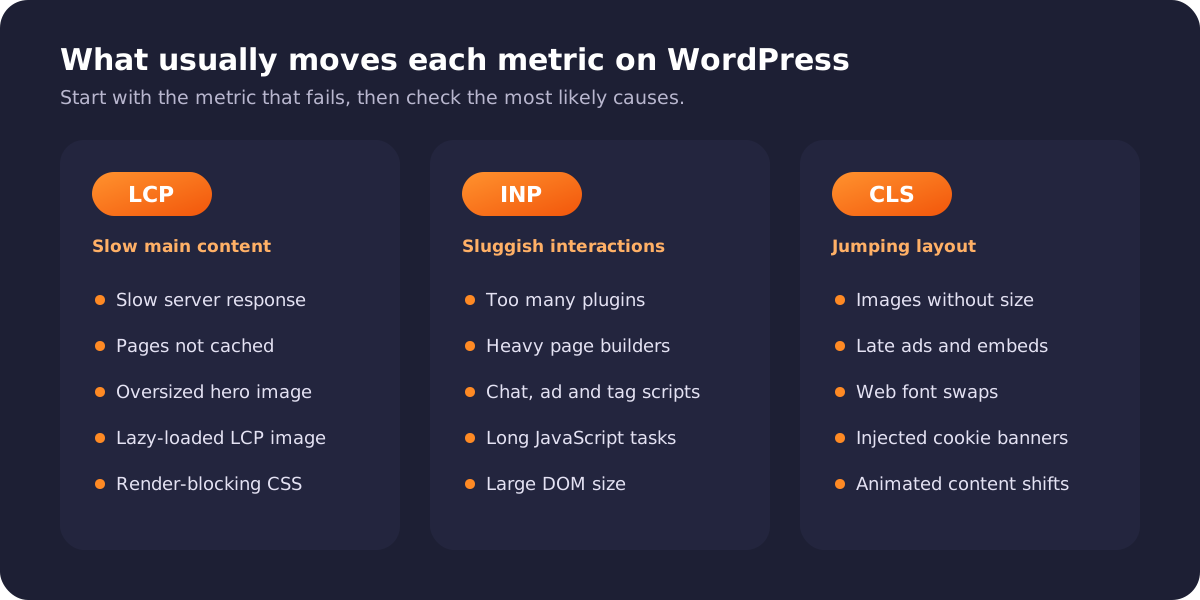
Start with the metric that fails, then check its most likely causes.
A practical order of work
- Find the failing metric and URL group in Search Console.
- Test a representative URL in PageSpeed Insights and note the LCP element, long tasks and layout shifts.
- Fix hosting and caching first. It improves every page at once.
- Fix template-level issues in the theme, header, hero and footer, which affect many URLs.
- Remove or delay heavy plugins and third-party scripts.
- Re-test, then wait for field data. CrUX uses a rolling 28-day window, so changes take time to show up in Search Console.
Common mistakes
- Chasing a perfect Lighthouse score instead of passing field data.
- Installing several overlapping optimisation plugins that conflict with each other.
- Lazy-loading or delaying everything, including the hero image and critical CSS.
- Testing only on a fast desktop connection.
- Making many changes at once without measuring which one helped.
Frequently asked questions
Why does PageSpeed Insights show a good score but Search Console says the page fails?
The Lighthouse score is a lab test on one simulated load. Search Console uses field data from real visitors over 28 days. Real users on slower devices and networks often see worse results.
Is a caching plugin enough to pass Core Web Vitals?
Caching usually helps LCP by reducing server response time, but it does not fix heavy JavaScript (INP) or layout shifts (CLS). Most sites need fixes across all three.
How long after a fix will Search Console update?
Field data is collected over a rolling 28-day window, so improvements appear gradually. You can use the Validate fix option in the Core Web Vitals report to start a monitoring period after you deploy changes.
Do I need to rebuild my WordPress site to pass?
Not usually. Hosting, caching, image handling and plugin clean-up solve many problems. A rebuild is worth considering only when the theme or page builder itself is the main bottleneck.
Need a faster WordPress site?
We audit field data, templates, plugins and hosting together, then fix the issues that move real-user metrics. See our WordPress speed optimization service. If slow pages are also struggling to get indexed, read our guide to Crawled vs Discovered – currently not indexed.